Secure Business Guide may earn a commission if you buy through links on this page, at no extra cost to you.
Our recommendations are based on practical use cases, security needs, features, pricing, and suitability for small businesses.
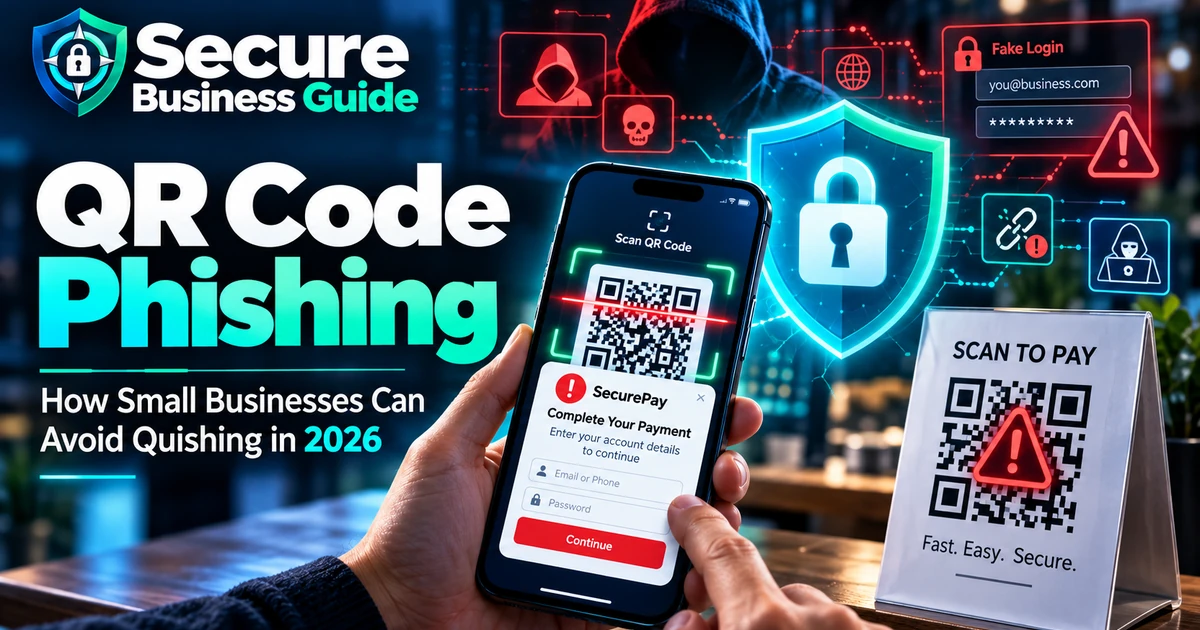
QR code phishing, often called quishing, became a major email threat in 2026. Microsoft Threat Intelligence reported 18.7 million QR-code phishing attacks in March 2026. Volumes then declined through Q2, reaching 8.3 million in June, but the technique remained active and continued to shift between PDF and DOC/DOCX delivery.
This guide explains how QR phishing works, why it is effective against small businesses, and the controls that can reduce the risk of account takeover and payment fraud.
Review Microsoft’s Q2 2026 email threat research.
What Is QR Code Phishing?
QR phishing uses a QR code to direct the victim to a malicious website, fake sign-in page, fraudulent payment page or other attacker-controlled destination.
- Email attachments
- PDF invoices
- DOC/DOCX documents
- Email bodies
- Printed flyers
- Fake payment notices
- Posters or stickers
- Collaboration platforms
Why Attackers Use QR Codes
A QR image hides the destination from the user until it is scanned and can move activity from a managed desktop to a personal phone with different security controls.
How Large Was the Threat in 2026?
Microsoft reported QR phishing rising from 7.6 million attacks in January to 18.7 million in March, then declining during Q2. PDFs remained an important delivery method while DOC/DOCX payload share increased.
Read Microsoft’s Q1 2026 phishing analysis.
Typical QR Phishing Attack Flow
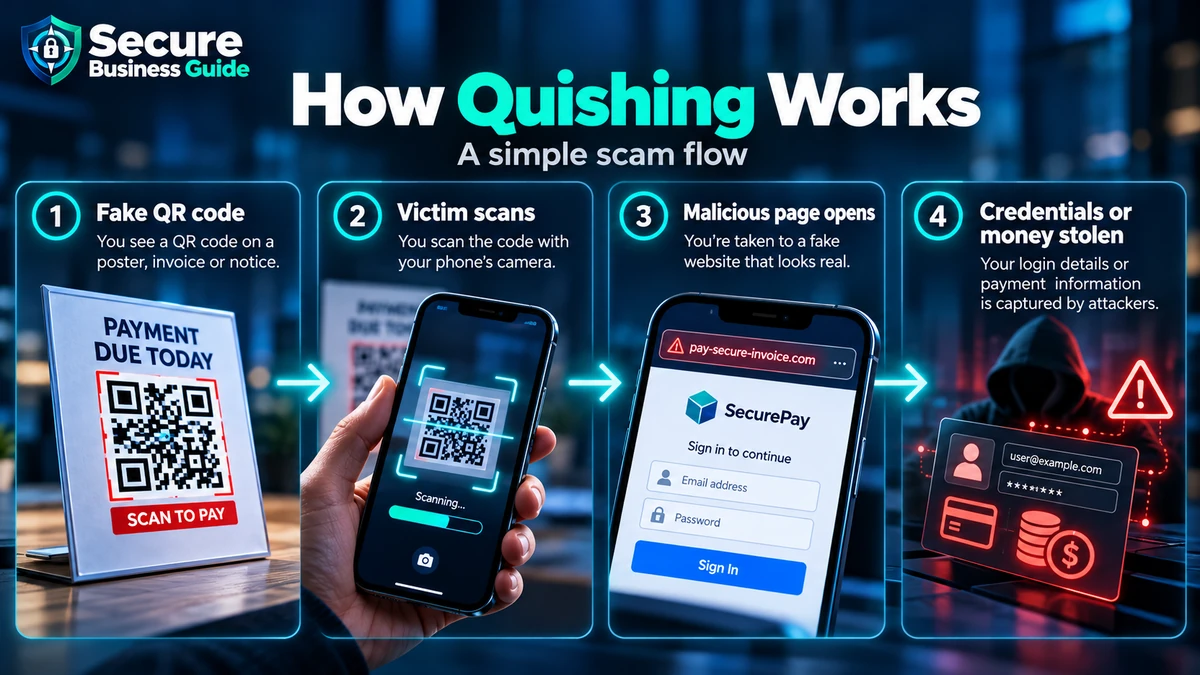
1. Trusted-Looking Message
The attacker imitates Microsoft 365, a bank, payroll service, courier, supplier or internal support.
2. Urgency
The message claims an account, payment, document or MFA action needs immediate attention.
3. QR Scan
The employee scans the code, often with a phone.
4. Fake Login or Payment Page
The page imitates a trusted service.
5. Credential or Payment Theft
The attacker collects credentials, MFA data, financial details or session information depending on the technique.
Why Small Businesses Are Attractive Targets
A single compromised mailbox can expose confidential conversations, reset other accounts, enable executive impersonation or support fraudulent supplier-payment changes.
10 QR Phishing Warning Signs
1. Unexpected QR Code
A service suddenly asking for a QR scan instead of its normal workflow deserves scrutiny.
2. Urgent Account Threat
Attackers use deadlines to reduce careful thinking.
3. Password or MFA Reset Request
Identity-provider impersonation is common.
4. Payment Change
Verify supplier or banking changes through a separate trusted channel.
5. Lookalike Domain
Inspect the real mobile-browser domain before entering information.
6. Unexpected Attachment
A normal-looking PDF can still contain a malicious QR code.
7. Generic Greeting With Sensitive Request
Credential and payment requests should match established business processes.
8. Request to Use a Personal Phone
Attackers benefit when users leave managed devices.
9. Destination Does Not Match the Claimed Service
Stop if the actual domain is unrelated or suspicious.
10. Familiar Security Process Suddenly Changes
An unexpected QR-based login flow may be fraudulent.
How Small Businesses Can Stop QR Phishing
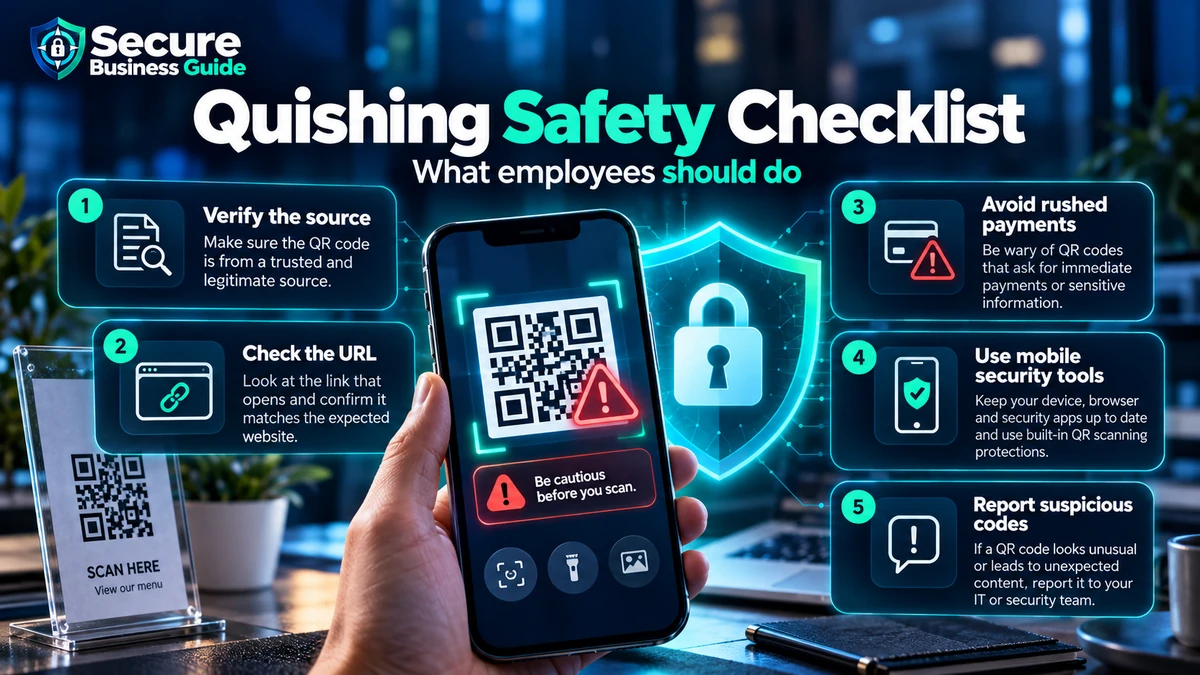
Train Employees Specifically About QR Codes
Teach staff that scanning a QR code is effectively opening a hidden link.
Use Phishing-Resistant Authentication
Passkeys and FIDO-based authentication can reduce the value of credential-phishing pages. See our passkeys vs passwords guide.
Strengthen Email Filtering
Use email-security tools that analyze images, attachments, URLs and impersonation. See our email security tools guide.
Provide an Easy Reporting Workflow
Employees should be able to report suspicious messages quickly.
Verify Financial Changes Out of Band
Use a known phone number or established business process to confirm banking changes.
Protect Mobile Devices
Keep mobile systems updated and protect access to business apps.
Monitor Sign-In Activity
Look for unusual sign-ins, new MFA methods, suspicious app consent and forwarding rules.
Use Post-Delivery Remediation
Where available, remove confirmed malicious messages from other mailboxes.
QR Phishing and Microsoft 365
Combine email filtering with MFA, admin-account protection and sign-in monitoring. Use our Microsoft 365 security checklist.
What to Do If an Employee Scanned a Suspicious QR Code
If credentials were entered, treat the account as potentially compromised. Change affected credentials, revoke sessions, review MFA methods, check forwarding rules, review suspicious sign-ins and notify your IT or security provider.
What If Malware Was Downloaded?
Isolate the device if compromise is suspected and follow your incident-response process. See our small business antivirus guide.
QR Phishing Can Lead to Wider Compromise
Credential theft may become the first stage of fraud, data theft or ransomware. Use our ransomware protection checklist.
Frequently Asked Questions
Is every QR code dangerous?
No. The risk depends on the destination and context.
Can email filters detect malicious QR codes?
Modern platforms increasingly analyze QR codes and attachments, but detection is not perfect.
What is quishing?
Quishing is an informal term for phishing that uses QR codes.
Final Takeaway
QR phishing succeeds by making a malicious link feel different from a normal phishing link. Train employees to verify unexpected QR-based login, payment and security requests before entering information.
Explore CBOOMARANK for SEO analysis, keyword research, competitor intelligence and backlink opportunities.
View CBOOMARANK plans and pricing.
Related Security Guides