Secure Business Guide may earn a commission if you buy through links on this page, at no extra cost to you.
Our recommendations are based on practical use cases, security needs, features, pricing, and suitability for small businesses.
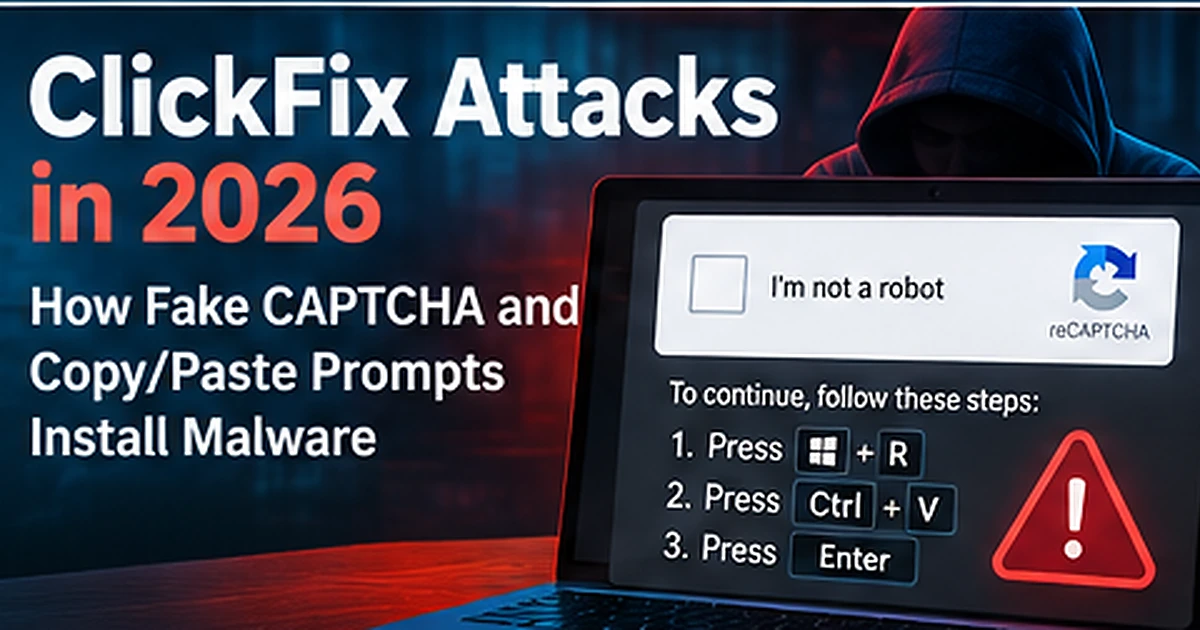
ClickFix attacks are one of the clearest examples of modern malware campaigns turning the victim into the installer. Instead of exploiting a software vulnerability, attackers display a fake CAPTCHA, browser error, verification prompt, download instruction or “fix” message that tells the user to copy and paste a command into Windows PowerShell, the Run dialog, Command Prompt or macOS Terminal.
In 2026, Microsoft documented several ClickFix-related campaigns, including a “CrashFix” variant that deliberately crashed a victim’s browser before presenting malicious recovery instructions and campaigns that used ClickFix lures to deliver information-stealing malware such as ACR Stealer. Microsoft also tracked macOS ClickFix operations that used fake download pages and Terminal commands to install credential-stealing malware.
This guide explains how ClickFix works, why fake CAPTCHA and copy/paste prompts are dangerous, and how small businesses can prevent employees from running attacker-controlled commands.
What Is a ClickFix Attack?
ClickFix is a social-engineering technique that convinces a user to manually execute a malicious command under the belief that they are fixing a browser problem, completing a CAPTCHA, installing a required update or resolving another technical issue.
The attack may start from a malicious advertisement, compromised website, phishing email, fake software page, captive portal or redirect chain.
Microsoft described ClickFix campaigns in 2026 that delivered infostealers capable of stealing browser credentials, authentication tokens and sensitive documents.
Read Microsoft’s July 2026 ACR Stealer research.
Why ClickFix Is Different From Normal Malware Downloads
Traditional malware campaigns often ask the user to download and open a file. ClickFix can avoid that obvious step by telling the user to run a command directly.
The page may say:
- “Verify you are human”
- “Copy this command to continue”
- “Press Windows + R and paste”
- “Your browser encountered an error”
- “Run this Terminal command to install the update”
- “Complete the security check”
The attacker is relying on trust in familiar system tools. PowerShell, Command Prompt and Terminal are legitimate tools, but they can execute attacker-supplied instructions.
Fake CAPTCHA ClickFix Attacks
One common version imitates a human-verification or CAPTCHA workflow. The victim believes they are proving they are not a bot, but the instructions actually place a malicious command on the clipboard and ask the user to execute it.
A legitimate CAPTCHA should not require you to open PowerShell, Command Prompt, Windows Run or Terminal and paste a command.
CrashFix: When the Browser Is Deliberately Broken
Microsoft reported a ClickFix evolution called CrashFix in January 2026. The technique deliberately crashes the user’s browser and then presents instructions that appear to restore functionality. The disruption makes the “repair” instructions feel more credible because the victim has just experienced a real problem.
Review Microsoft’s CrashFix analysis.
ClickFix on macOS
ClickFix is not limited to Windows. Microsoft documented macOS campaigns where users were shown fake software or download pages and instructed to copy and paste commands into Terminal.
Those commands can retrieve additional scripts or malware, including information stealers designed to collect browser credentials, wallet data, authentication stores and other sensitive files.
Read Microsoft’s August 2026 macOS ClickFix research.
Typical ClickFix Attack Flow
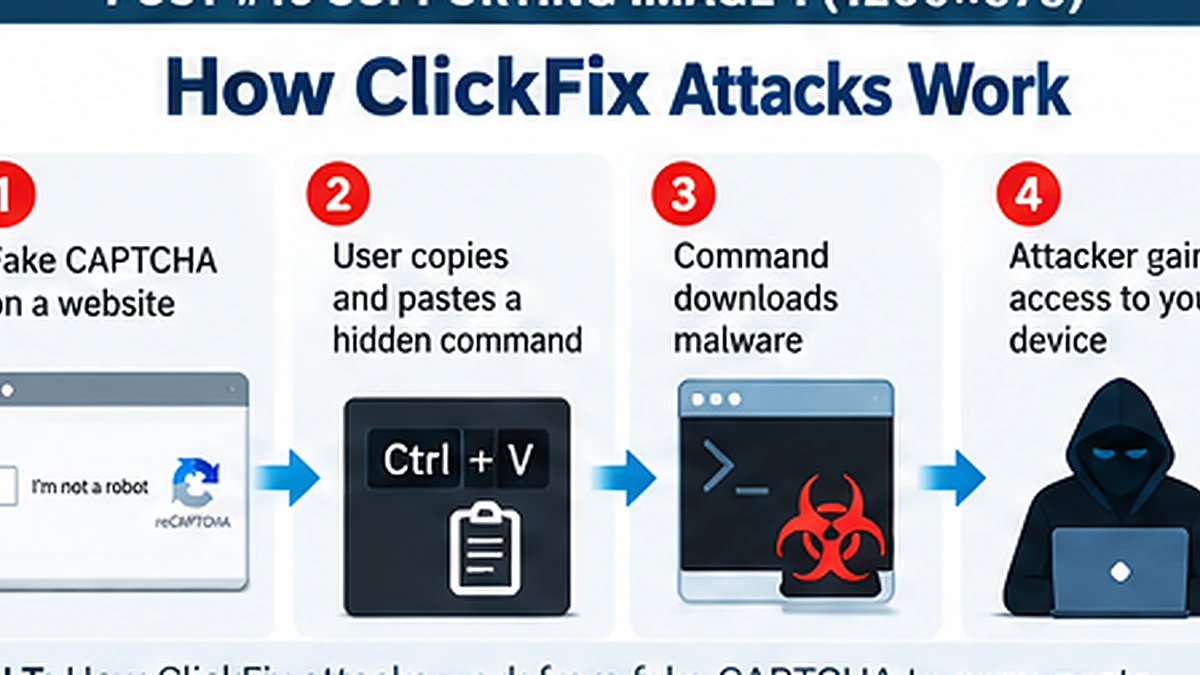
1. The User Reaches a Malicious or Compromised Page
The entry point may be a phishing email, malicious advertisement, fake software download, search result, compromised website or manipulated network experience.
2. The Page Displays a Convincing Prompt
The prompt may look like a CAPTCHA, browser repair message, video error, document viewer or update notice.
3. The User Is Told to Copy a Command
The page provides instructions for Windows Run, PowerShell, Command Prompt or macOS Terminal.
4. The Command Downloads or Executes Malware
The pasted command may retrieve remote content, run scripts, decode obfuscated payloads or launch a legitimate utility in a way that supports malicious execution.
5. Credentials and Tokens Are Stolen
Follow-on malware may collect browser passwords, session cookies, authentication tokens, documents, cloud credentials and developer secrets.
Why Small Businesses Are Vulnerable
Small businesses often depend heavily on browser-based applications, Microsoft 365, Google Workspace, cloud accounting, web hosting, payment platforms and remote-work tools. That means a stolen browser session or cloud credential can be more valuable than a single infected PC.
Employees may also have local administrator rights or be accustomed to troubleshooting their own devices, making copy/paste “fix” instructions more believable.
10 Warning Signs of a ClickFix Attack
- A CAPTCHA tells you to open Windows Run, PowerShell, Command Prompt or Terminal
- A webpage asks you to paste a command manually
- A browser error page gives command-line repair instructions
- A software download page asks for Terminal commands instead of a normal installer
- A “security verification” requires script execution
- The page tells you to disable antivirus or browser protection
- The command contains long encoded or unreadable text
- The command downloads content from an unfamiliar domain
- The prompt appears after a suspicious ad or redirect
- The instructions bypass normal IT support procedures
How Small Businesses Can Prevent ClickFix Attacks
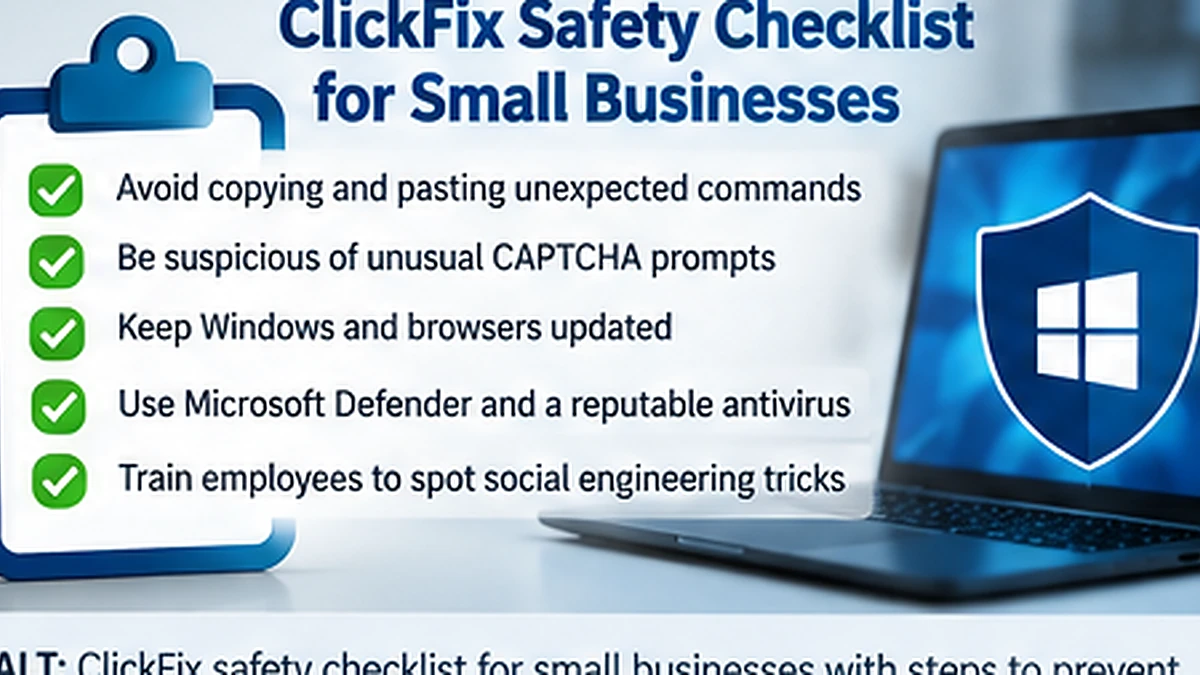
Train Employees: Never Paste Commands From a Website
Create a simple rule: employees should not copy commands from websites into PowerShell, Command Prompt, Run or Terminal unless the action has been explicitly approved by IT or a trusted administrator.
Remove Unnecessary Local Administrator Rights
Users should not have administrative privileges for routine work unless the role requires them. Least privilege reduces the damage an attacker can cause through user-driven execution.
Use Endpoint Detection and Protection
Modern endpoint security can detect suspicious PowerShell, script execution, credential-store access and malware behavior.
See our best antivirus software for small businesses guide.
Patch Browsers and Operating Systems
Keep supported browsers, Windows, macOS and business applications updated. Attackers frequently combine social engineering with weak or outdated environments.
Block Known Malicious Domains and Downloads
Use DNS filtering, secure web gateways or browser protections where appropriate. No filtering system is perfect, so combine it with user training.
Monitor PowerShell and Script Activity
Security teams should investigate unusual PowerShell, command-shell, script-host and Terminal activity, especially when it follows browser activity or user-reported fake verification prompts.
Use Phishing-Resistant MFA
ClickFix-delivered infostealers may attempt to steal credentials and session information. Strong authentication helps reduce account takeover risk, although it does not replace endpoint security.
CISA recommends organizations move toward phishing-resistant MFA such as FIDO/WebAuthn where possible.
Read CISA’s MFA guidance for small and medium businesses.
See our passkeys vs passwords guide.
What to Do If an Employee Ran a ClickFix Command
Treat the device as potentially compromised. Disconnect or isolate it according to your incident-response process, contact IT or your security provider, and preserve relevant information about the command and webpage.
Depending on the investigation, response actions may include:
- Running endpoint scans and threat-hunting tools
- Revoking active cloud sessions
- Resetting affected credentials
- Reviewing MFA methods
- Checking email forwarding and inbox rules
- Reviewing browser-stored credentials
- Reviewing cloud and administrator sign-ins
- Investigating developer or API credentials on the device
ClickFix and Infostealer Malware
ClickFix is frequently a delivery technique rather than the final payload. Information stealers can harvest browser passwords, cookies, tokens and other authentication artifacts.
Read our infostealer malware protection guide for the next layer of defense.
ClickFix and Ransomware Risk
A stolen account or compromised endpoint may become an entry point for broader intrusion. Ransomware defense requires backups, patching, email security, access control and monitoring.
Use our small business ransomware protection checklist.
Frequently Asked Questions
Is ClickFix a specific malware family?
No. ClickFix describes the social-engineering method used to make the victim run malicious commands. Different malware families can be delivered afterward.
Can ClickFix affect Macs?
Yes. Microsoft documented macOS ClickFix campaigns using Terminal commands to deliver information-stealing malware.
Is every copy/paste command dangerous?
No. Administrators legitimately use commands every day. The risk is executing commands supplied by an untrusted webpage, email, chat message or unexpected prompt without verifying them.
Final Takeaway
ClickFix succeeds because the command is executed by the victim rather than by an obvious malicious attachment. Teach employees that websites should not instruct them to paste commands into system tools, restrict unnecessary privileges and monitor suspicious script activity.
Explore CBOOMARANK for SEO analysis, competitor intelligence, keyword research and backlink opportunities.
View CBOOMARANK plans and pricing.
Related Security Guides