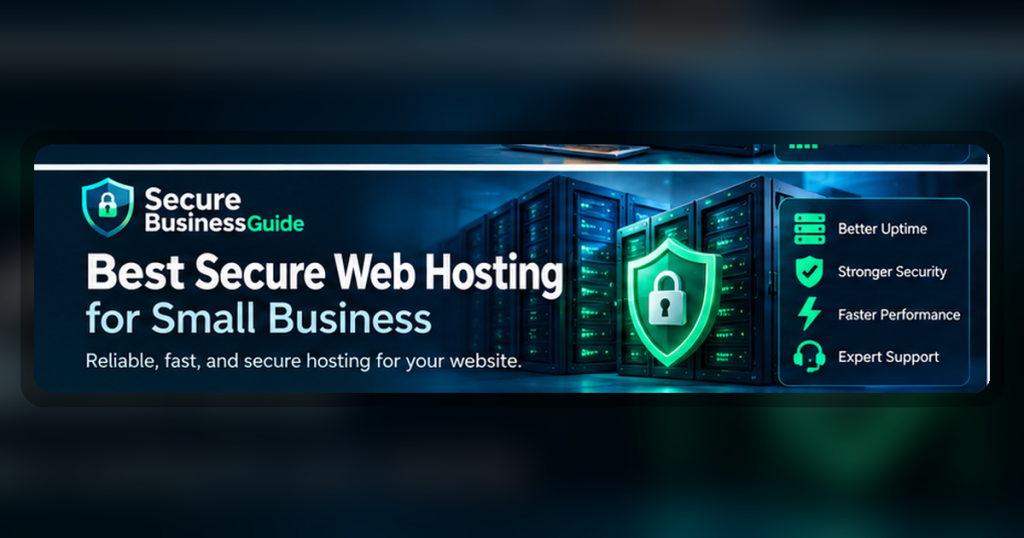
The best secure web hosting for small business should include reliable uptime, SSL support, backups, malware protection, security monitoring, and helpful support.
Hosting is part of your security foundation. Even a well-built website can become risky when hosted on a weak or poorly managed server environment.
Best Secure Web Hosting for Small Business: Quick Recommendations
SiteGround
Best secure hosting option for WordPress beginners
Cloudways
Best managed cloud hosting option
Hostinger
Best budget-friendly hosting option
Key Features to Compare
- Free SSL support
- Automatic backups
- Malware scanning
- Firewall protection
- Fast support
- WordPress security features
How to Choose the Right Option
Start by identifying the main risk you want to reduce. Some businesses need stronger account protection, while others need safer browsing, malware cleanup, better backups, or website protection. Choose a tool that fits your team size, technical comfort, budget, and support needs.
Do not choose a product only because it is popular. Compare the features that matter for your exact workflow, then test the tool before moving all business activity into it.
Security Buying Checklist
- Does the product solve a real security problem for your business?
- Is it easy enough for your team to use consistently?
- Does it support small business workflows and multiple users?
- Does pricing remain reasonable as your team grows?
- Does it include support, documentation, and clear setup guidance?
- Can it work alongside your existing website, hosting, devices, and SaaS tools?
Related Secure Business Guide Resources
Explore our Recommended Security Tools, read How We Review Security Tools, and browse more cybersecurity guides.
Final Recommendation
Choose security tools based on business risk, ease of use, reliability, and long-term value. A practical tool your team uses consistently is better than a complicated platform that no one follows properly.
What Makes Web Hosting Secure for a Small Business?
Secure web hosting is not simply a hosting plan with an SSL certificate. A business website depends on several layers of protection working together: the hosting account, server configuration, website software, administrator access, backups, monitoring, and recovery procedures.
For a small business, the best hosting environment should reduce the amount of security work that must be performed manually while still giving the owner enough visibility and control to respond when something goes wrong.
When comparing hosting providers, look beyond headline storage and bandwidth numbers. Security, reliability, backup quality, support response, and recovery capability often matter far more to a business website than having unused server resources.
Security Features to Compare Before Choosing a Host
1. HTTPS and SSL Support
Every business website should use HTTPS. A reputable hosting provider should make SSL certificates easy to install, renew automatically, and use across the entire site.
HTTPS protects data while it travels between a visitor and your website. It does not, however, replace malware scanning, software updates, access controls, or secure hosting practices.
2. Automated Backups
Backups are one of the most important safeguards a business can have. Look for automatic backups with clearly stated retention periods and simple restoration procedures.
A useful backup system should let you recover from problems such as accidental deletion, failed updates, corrupted files, malware incidents, or damaged databases.
Businesses handling important files should also consider a separate backup strategy. See our cloud backup guide for business files for additional protection options.
3. Malware Detection and Website Monitoring
Secure hosting should include some level of malware detection, suspicious-file monitoring, or integration with a reputable security platform. Monitoring can help identify unexpected changes before they become a larger problem.
Website owners should still understand that automated scanners are not perfect. A clean scan does not guarantee that every security issue has been detected.
If a WordPress site becomes compromised, our guide to WordPress malware removal services explains what to evaluate when choosing professional cleanup assistance.
4. Firewall and Network Protection
Hosting security begins before a request reaches WordPress or another content management system. Providers may use network firewalls, web application firewalls, abuse detection, rate limiting, and other controls to reduce malicious traffic.
The exact protection varies significantly between providers, so businesses should ask what is included rather than assuming every plan offers the same safeguards.
5. Secure Account Access
Your hosting control panel is one of the most sensitive accounts connected to your website. Compromise of the hosting account can allow an attacker to access files, databases, email settings, backups, and domain-related configuration.
Choose providers that support strong passwords and multi-factor authentication. Avoid sharing one administrator login among multiple staff members whenever individual accounts are available.
For managing business credentials more safely, see our guide to the best password managers for small businesses.
Managed Hosting vs Shared Hosting vs VPS
Different hosting models transfer different levels of security responsibility to the customer.
Shared Hosting
Shared hosting can be cost-effective for smaller websites. The hosting company manages the underlying server, while the website owner normally remains responsible for WordPress updates, plugins, passwords, website configuration, and application-level security.
Shared hosting is not automatically insecure. The important questions are how accounts are isolated, how servers are maintained, how quickly vulnerabilities are patched, and what backup and monitoring tools are provided.
Managed WordPress Hosting
Managed WordPress hosting usually provides more WordPress-specific assistance. Depending on the provider, this may include automatic updates, platform monitoring, backups, staging environments, caching, malware controls, and specialist support.
This model can be useful for businesses that do not have dedicated technical staff, but “managed” means different things at different companies. Review the exact responsibilities covered by the plan.
VPS and Cloud Servers
A virtual private server or cloud server can provide more control and isolation, but greater control can also create greater responsibility. Unmanaged servers may require the customer to maintain operating-system updates, firewalls, SSH access, services, monitoring, backups, and incident response.
Unless your organization has the technical capacity to administer a server securely, a well-managed environment may be a safer choice than an unmanaged VPS selected only because it appears more powerful.
Questions to Ask a Hosting Provider
Before purchasing hosting for an important business website, ask practical questions rather than relying only on marketing claims.
- How often are backups created?
- How long are backups retained?
- Can customers restore backups themselves?
- Are backups stored separately from the live server?
- Is multi-factor authentication available?
- Is malware scanning included?
- Is a web application firewall included?
- How are hosting accounts isolated from one another?
- How quickly are critical server vulnerabilities patched?
- Is 24/7 support available for security incidents?
- Does the plan include staging for testing updates?
- What happens if a website is compromised?
WordPress Hosting Requires Additional Security
Even a well-secured hosting platform cannot protect a WordPress installation that uses vulnerable plugins, weak administrator passwords, outdated themes, or unsafe extensions.
Keep WordPress core, themes, and plugins updated. Remove extensions that are no longer needed, limit administrator accounts, maintain backups, and use security controls appropriate for the site.
Our WordPress security plugin guide explains the features businesses should compare, while the website security checklist for small business owners provides a broader maintenance framework.
Hosting Security Red Flags
Price alone should not determine where an important business website is hosted. Be cautious when a provider gives little information about backups, incident handling, security controls, or account protection.
- No clear backup or restoration policy
- No multi-factor authentication for account access
- No HTTPS or automatic SSL support
- Poorly documented support channels
- No explanation of malware handling
- Unclear account isolation
- No visible security or abuse-response process
- Long periods between platform or server updates
Use Independent Security Guidance
Businesses should combine vendor information with independent security guidance. The Cybersecurity and Infrastructure Security Agency (CISA) publishes practical recommendations for improving organizational security, including stronger authentication, software updates, phishing awareness, and password practices.
The NIST Cybersecurity Framework also provides a structured way for organizations to think about identifying, protecting, detecting, responding to, and recovering from cybersecurity risks.
How to Choose the Right Hosting Plan
The best hosting choice depends on the importance of the website, the skills available within the business, traffic requirements, compliance needs, and the consequences of downtime or data loss.
A small informational website may be adequately protected by a reputable managed shared-hosting plan. An ecommerce site, membership service, or business-critical application may justify stronger monitoring, more frequent backups, staging, advanced firewall controls, and higher levels of technical support.
Do not pay for features simply because they sound advanced. Instead, identify your actual risks and choose a hosting environment that provides appropriate controls and a realistic recovery path.
Secure Hosting Checklist for Small Businesses
- HTTPS enabled across the entire website
- Automatic SSL renewal
- Regular automated backups
- Tested restoration process
- Multi-factor authentication
- Malware monitoring or scanning
- Firewall protection
- Current server software
- Strong hosting-account password
- Limited administrator access
- Reliable technical support
- Documented incident-recovery procedure
Frequently Asked Questions
Is managed hosting more secure than shared hosting?
Not automatically, but managed hosting can reduce operational risk when the provider handles more maintenance, monitoring, updates, backups, and platform-specific security. Compare the actual services included rather than relying only on the word “managed.”
Does SSL make a website secure?
No. SSL/TLS protects information in transit between visitors and the website. A secure website also needs software updates, strong authentication, backups, malware protection, safe hosting configuration, and appropriate access controls.
How often should a business website be backed up?
The appropriate frequency depends on how often the website changes and how much data the organization can afford to lose. Frequently updated ecommerce or membership websites may require much more frequent backups than a mostly static informational website.
Should a small business use an unmanaged VPS?
Only when someone is capable of maintaining it securely. An unmanaged VPS can provide flexibility, but the customer may also become responsible for operating-system updates, services, firewalls, monitoring, backups, and incident response.
Final Recommendation
Choose hosting based on security operations and recovery capability, not simply storage space or promotional pricing. For most small businesses, a reputable managed environment with automatic backups, HTTPS, strong account protection, malware controls, reliable support, and straightforward restoration provides a practical balance between security and manageability.
Hosting is only one layer of protection. Combine it with secure passwords, current software, regular backups, security monitoring, and the practices in our complete website security checklist.
How to Choose Secure Web Hosting for a Small Business
Secure web hosting should protect more than the server itself. Small businesses need a hosting environment that supports website availability, secure administration, software updates, malware prevention, reliable backups, encrypted connections, and fast recovery when something goes wrong.
The best hosting choice therefore depends on the type of website you operate, how much traffic it receives, how important uptime is to revenue, whether you manage WordPress or another content management system, and how much technical administration your team can realistically handle.
Price matters, but selecting hosting only because it is inexpensive can create larger costs later if the service lacks dependable backups, security monitoring, recovery assistance, or adequate technical support.
Secure Hosting Features to Compare
| Security feature | What to evaluate | Why it matters |
|---|---|---|
| SSL/TLS | Automatic certificate deployment and renewal | Encrypts traffic between visitors and your website |
| Backups | Frequency, retention, off-site copies, and restore process | Provides a recovery path after failure, deletion, or compromise |
| Malware protection | Scanning, alerts, quarantine, and remediation options | Helps detect malicious files and suspicious website changes |
| Web application firewall | Managed rules and protection against common web attacks | Can block harmful requests before they reach the application |
| DDoS protection | Network-level and application-level mitigation | Helps maintain availability during malicious traffic spikes |
| Account security | MFA, role separation, login controls, and access logs | Reduces the risk of hosting-account takeover |
| Software updates | Operating system, server software, PHP, and managed CMS updates | Reduces exposure to known vulnerabilities |
| Monitoring | Uptime, resource, security, and malware alerts | Helps identify problems before they become prolonged outages |
| Recovery support | Emergency support and documented restore procedures | Reduces downtime when a serious incident occurs |
Shared Hosting vs VPS vs Managed Hosting vs Cloud Hosting
Shared Hosting
Shared hosting can be suitable for smaller websites with modest traffic and limited technical requirements. Multiple customers share server resources, which helps keep costs low. Businesses should pay particular attention to account isolation, automatic backups, malware protection, software maintenance, and support quality.
Virtual Private Server Hosting
A VPS provides greater control and dedicated resource allocation than basic shared hosting. It can be useful for growing websites, but unmanaged VPS hosting also places more security responsibility on the website owner. Server patching, firewall configuration, monitoring, backups, and access security must all be handled correctly.
Managed WordPress Hosting
Managed WordPress hosting can reduce administration for businesses that rely heavily on WordPress. Services may include managed updates, caching, staging environments, backups, security monitoring, and WordPress-focused technical support.
The exact protections vary by provider, so businesses should verify what is included instead of assuming that the word “managed” guarantees complete security.
Cloud Hosting
Cloud hosting can provide flexible resources and resilience across distributed infrastructure. It may be useful for businesses with changing traffic requirements or applications that need greater scalability.
However, cloud infrastructure is not automatically secure. Configuration, access permissions, backup strategy, application security, and monitoring remain important.
Hosting Security for WordPress Websites
WordPress security depends on both the hosting environment and the website itself. A secure host cannot compensate for weak administrator passwords, abandoned plugins, outdated themes, unsafe custom code, or compromised user accounts.
WordPress website owners should combine secure hosting with regular software updates, strong passwords, multi-factor authentication where available, restricted administrator access, dependable backups, malware monitoring, and careful plugin selection.
Our Best WordPress Security Plugins guide covers additional tools that can complement hosting-level protection.
You should also review the Website Security Checklist for Small Business Owners before launching or migrating a business website.
Backups Should Be Independent of Your Hosting Account
Hosting backups are useful, but important business websites should avoid depending on a single recovery system. If the hosting account itself becomes inaccessible or compromised, an independent backup can provide another way to restore the website.
A strong recovery plan should protect website files, databases, uploaded media, configuration, and any custom code required to rebuild the site.
For more guidance, see our comparison of cloud backup tools for business files.
Security Questions to Ask a Hosting Provider
Before purchasing hosting, ask practical questions rather than relying only on marketing claims:
- How often are backups created?
- How long are backups retained?
- Can customers restore backups themselves?
- Are backup copies stored separately from the production environment?
- Is multi-factor authentication available for the hosting account?
- Is malware scanning included?
- What happens if malware is detected?
- Is a web application firewall included?
- What DDoS protection is provided?
- How are server security updates handled?
- Does the provider support current PHP versions?
- Are staging environments available?
- What security logs can customers access?
- How quickly can support respond to a compromised website?
- What is the process for restoring a damaged or hacked site?
Hosting Performance Also Affects Search Visibility
Website security and SEO are connected through user experience and availability. Persistent downtime, slow server response, broken pages, or security incidents can interfere with crawling, customer trust, conversions, and overall website performance.
A secure host should therefore provide a stable foundation, while SEO tools help website owners understand what happens after the site is online.
Turn Secure Hosting Into Stronger Search Growth
Once your website has a reliable hosting and security foundation, use CBOOMARANK to analyze SEO performance, research keywords, evaluate competitors, review website authority and backlinks, and identify opportunities for greater organic search visibility.
For business owners, marketers, publishers, and website operators, combining secure infrastructure with measurable SEO intelligence can help turn a protected website into a stronger lead-generation asset.