Secure Business Guide may earn a commission if you buy through links on this page, at no extra cost to you.
Our recommendations are based on practical use cases, security needs, features, pricing, and suitability for small businesses.
Passwords remain common, but passkeys are becoming a practical security upgrade for small businesses in 2026. Microsoft Entra ID began making passkeys the default authentication experience for users enabled for SMS or voice authentication from September 1, 2026. The reason is simple: passkeys are designed to resist the credential-phishing attacks that continue to compromise business accounts.
This guide explains passkeys vs passwords for small businesses, where passkeys are stronger, where passwords still matter, and how to move toward passwordless authentication without creating recovery problems.
Passkeys vs Passwords: The Short Answer
For supported services, passkeys are generally safer against phishing because the credential is cryptographically bound to the legitimate service instead of being typed into a form that an attacker can copy.
Passwords still matter for legacy systems and services without passkey support, so the practical goal is not to delete every password overnight. Start with your highest-risk accounts and migrate in a controlled way.
What Is a Password?
A password is a shared secret the user submits during sign-in. That makes passwords broadly compatible, but also exposes them to phishing, reuse, credential stuffing and insecure storage.
- Phishing and fake login pages
- Password reuse
- Weak passwords
- Credential stuffing
- Shared administrator credentials
- Help-desk reset abuse
A password manager helps reduce reuse risk. See our best password managers for small businesses.
What Is a Passkey?
A passkey is a cryptographic credential. The service stores a public key, while the corresponding private key remains protected on the user’s approved device, credential provider or hardware authenticator. The user normally approves sign-in with a device unlock method such as a fingerprint, face recognition, PIN or hardware key.
Why Passkeys Resist Traditional Phishing
Traditional phishing works by collecting a secret that can be replayed elsewhere. FIDO/WebAuthn authentication is designed so the credential works with the intended service and is not simply a reusable password copied from a fake page.
CISA identifies FIDO/WebAuthn as the widely available phishing-resistant approach organizations should work toward.
Read CISA guidance on stronger MFA.
Review Microsoft’s passkey and SMS/voice transition guidance.
Microsoft’s 2026 Passkey Change
Starting September 1, 2026, Microsoft began automatically enabling passkeys for users enabled for SMS or voice authentication in Microsoft Entra ID and nudging them to register a passkey during MFA sign-in. Microsoft also documents retirement milestones for Microsoft-provided SMS and voice authentication beginning in 2027 for most in-scope users.
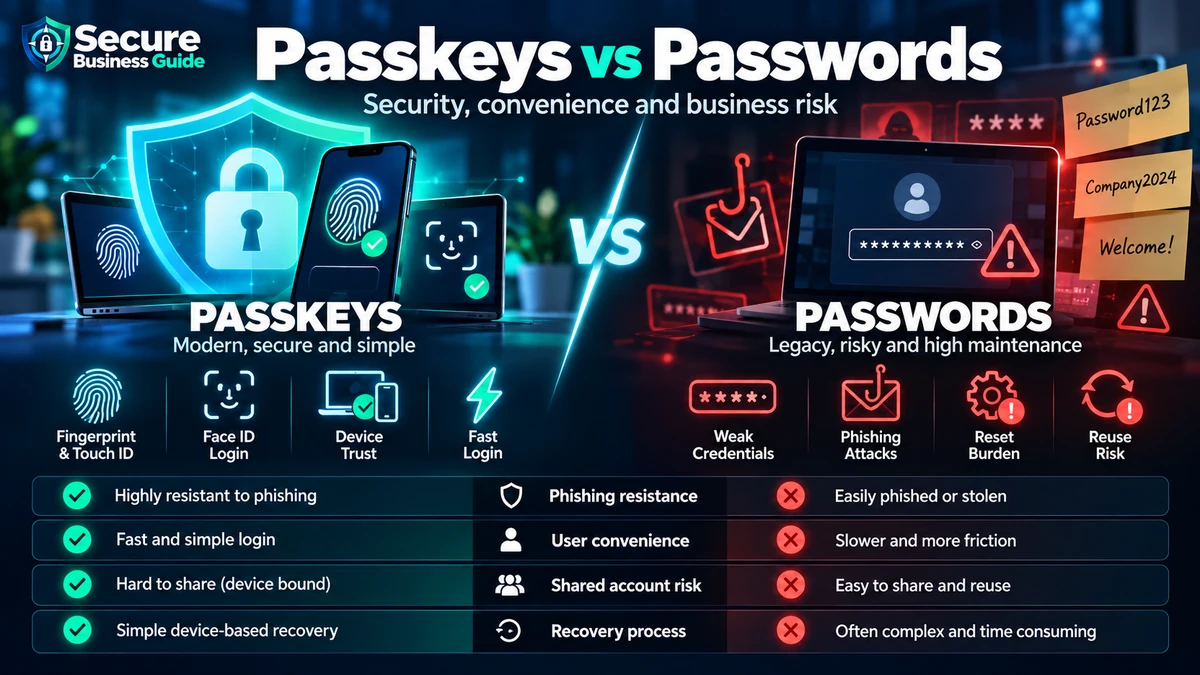
Passkeys vs Passwords: Security Comparison
| Factor | Password | Passkey |
|---|---|---|
| Phishing resistance | Low by itself | Strong for supported FIDO/WebAuthn flows |
| Credential reuse | Possible | Not reused like a shared password |
| Credential stuffing | Possible | Greatly reduced |
| User memorization | Often required | Usually not required |
| Legacy compatibility | Very high | Still expanding |
When Passwords Still Make Sense
Small businesses may still need passwords for legacy applications, older network appliances, hosting tools, vendor portals and emergency recovery. For those systems, use unique passwords, a trusted password manager, MFA where possible and restricted administrator access.
Should Small Businesses Stop Using SMS MFA?
SMS MFA is usually better than password-only authentication, but it is not phishing-resistant. Where supported, prioritize passkeys, FIDO2 security keys, Windows Hello for Business or another documented phishing-resistant method.
Start With Administrator Accounts
Administrator accounts are the best first target because compromise can expose email, users, security settings, data and billing. Microsoft recommends phishing-resistant MFA for privileged administrator roles and separate everyday user accounts for normal work.
For a broader tenant-hardening plan, see our Microsoft 365 security checklist for small businesses.
Passkey Deployment Checklist
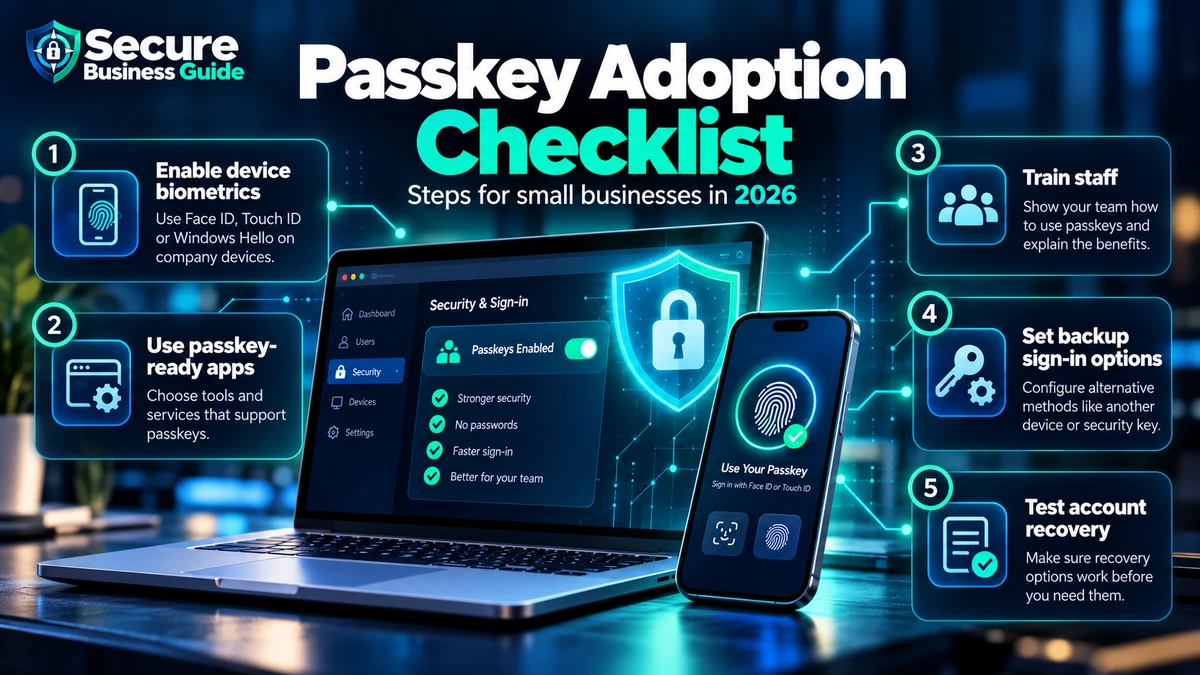
1. Inventory Critical Accounts
List email administration, hosting, banking, payroll, accounting, domain registrars and website administration.
2. Verify Passkey Support
Check each vendor’s official documentation, supported authenticators and recovery options.
3. Pilot With a Small Group
Test with administrators or technically comfortable employees before company-wide rollout.
4. Register Recovery Options
Use approved secondary devices, hardware keys or documented administrative recovery where supported.
5. Train Employees
Explain what legitimate passkey enrollment looks like so unexpected prompts are treated cautiously.
6. Retire Weaker Methods Carefully
Remove unnecessary authentication methods only after the stronger method and recovery process have been tested.
Passkeys Do Not Replace Endpoint Security
A passkey protects authentication, not the entire device. Combine stronger sign-in with patches, endpoint protection and least privilege. See our small business antivirus guide.
Passkeys Do Not Replace Email Security
Attackers can still use malicious files, invoice fraud and social engineering. Review our best email security tools for small businesses.
Passkeys and Ransomware Defense
Authentication is only one layer. Use our small business ransomware protection checklist for backups, patching, email security and recovery.
Frequently Asked Questions
Are passkeys safer than passwords?
For supported services, passkeys provide stronger protection against traditional phishing and password reuse. Overall security still depends on recovery and device protection.
Can a passkey be stolen?
No technology removes every risk. Device compromise and insecure recovery still matter, but passkeys do not expose a reusable password to a phishing page.
Should employees delete every password now?
No. Migrate in stages and confirm compatibility and recovery before removing existing methods.
Final Takeaway
Passkeys are becoming a practical security improvement for small businesses. Start with administrator and high-value accounts, test recovery and reduce dependence on weaker authentication methods as your platforms support the transition.
Explore CBOOMARANK for SEO analysis, competitor research, authority and backlink intelligence.
View CBOOMARANK plans and pricing.
Related Security Guides