Secure Business Guide may earn a commission if you buy through links on this page, at no extra cost to you.
Our recommendations are based on practical use cases, security needs, features, pricing, and suitability for small businesses.
WordPress website owners using Ninja Forms or WPC Product Bundles for WooCommerce should review their sites immediately. Security researchers at Patchstack reported an active October 2026 campaign using stored cross-site scripting vulnerabilities in the two plugins to deliver the same malicious second-stage code.
This does not mean WooCommerce core itself was the vulnerable component. The affected ecommerce extension is WPC Product Bundles for WooCommerce.
The campaign matters because the malicious code is designed to execute when an authenticated WordPress administrator encounters attacker-controlled content. The post-exploitation stage can create persistence and make an unauthorized administrator account difficult to notice through the ordinary WordPress Users interface.
What Happened?
Patchstack reported that its telemetry observed exploitation attempts beginning October 4, 2026 against WPC Product Bundles for WooCommerce, followed by activity involving Ninja Forms on October 5.
The researchers linked the activity because both vulnerabilities were being used to load the same second-stage infrastructure.
Read Patchstack’s technical campaign analysis.
Which WordPress Plugins Are Involved?
WPC Product Bundles for WooCommerce
The campaign targeted CVE-2026-93836, an unauthenticated stored cross-site scripting vulnerability affecting WPC Product Bundles for WooCommerce through version 8.6.6.
Patchstack lists version 8.6.7 as the version containing the fix. If your site still runs an older affected release, update to a current supported version as soon as practical.
See the WPC Product Bundles vulnerability record.
Ninja Forms
Patchstack also observed the campaign exploiting a stored XSS vulnerability in Ninja Forms. Subsequent releases have included additional security fixes, so administrators should use the latest trusted version available rather than stopping at the minimum historical patched release.
If you use Ninja Forms, review the installed version and update through the official WordPress plugin workflow after making a backup.
What Is Stored Cross-Site Scripting?
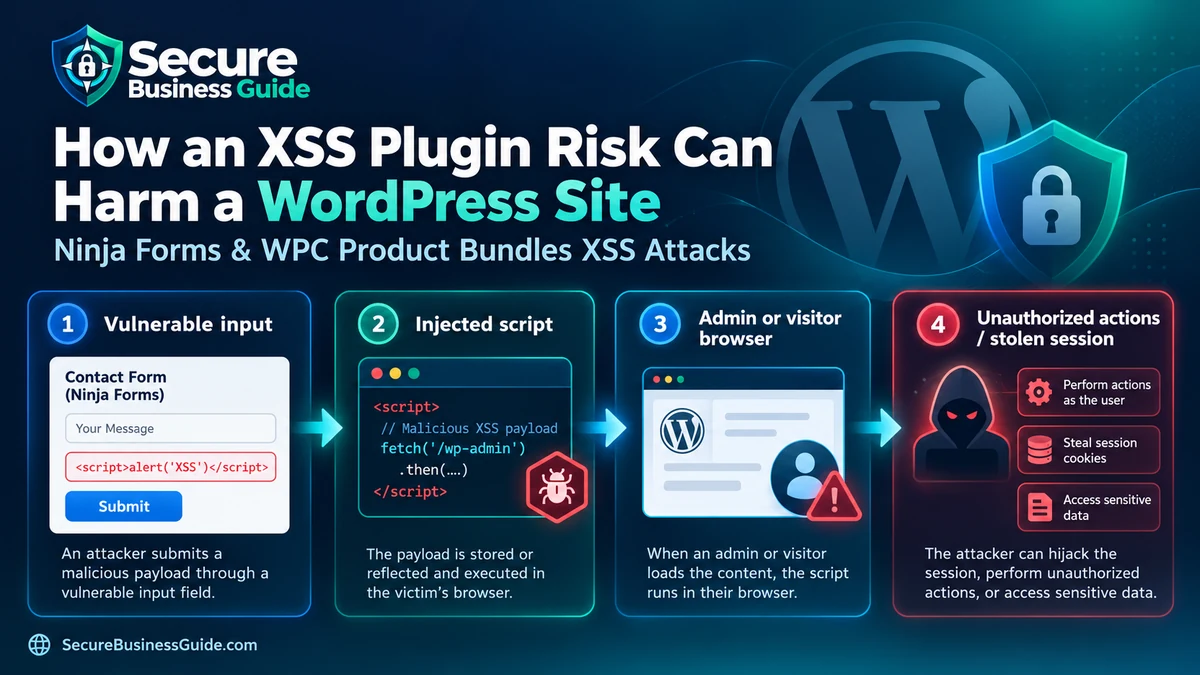
Stored XSS occurs when attacker-controlled content is saved by an application and later rendered in a browser without sufficient output handling.
The danger increases when that content is displayed to a privileged user such as a WordPress administrator. Code executing within the administrator’s browser context may be able to perform actions available to that session.
For defensive guidance on securing WordPress, see our best WordPress security plugins guide.
Why This Campaign Is More Serious Than a Normal Plugin Warning
Many vulnerabilities are disclosed before widespread exploitation is observed. In this case, researchers reported seeing exploitation attempts in telemetry.
That changes the operational response. If you use an affected plugin version, the question should not only be “Should I update?” but also “Was this site exposed before it was updated?”
Step 1: Identify Whether the Plugins Are Installed
Inside WordPress, visit Plugins → Installed Plugins and search for:
- Ninja Forms
- WPC Product Bundles for WooCommerce
WP-CLI users can inspect plugins using:
wp plugin listStep 2: Update Vulnerable Versions
Take a fresh backup first. Then install a current patched version from the legitimate plugin source.
Avoid downloading “nulled,” repackaged or unofficial copies of commercial or free plugins. Supply-chain risk can turn an attempted security fix into a new compromise.
Our business backup tools guide can help if your current recovery process is weak.
Step 3: Review Administrator Accounts
Look for administrators you do not recognize, especially recently created accounts.
Do not rely entirely on the standard Users page if you have strong evidence of compromise. The reported campaign includes persistence techniques intended to make malicious administration access harder to spot through the normal interface.
If you are not comfortable examining WordPress or the database directly, use a qualified security professional rather than experimenting on a live production database.
Step 4: Review Files and Installed Plugins
Look for unfamiliar recently created plugins, modified files or unexpected PHP code under wp-content.
Compare WordPress core files against known-good versions and review plugin directories for additions you cannot explain.
Step 5: Review Security and Access Logs
Hosting, web server, WAF and application logs can help reconstruct suspicious activity.
Look for unusual POST requests, unexplained administrator actions, unfamiliar source addresses and requests involving plugins known to have been exposed.
Step 6: Rotate Credentials If Compromise Is Suspected
If evidence suggests an attacker gained privileged access, changing only one WordPress password is insufficient.
Review and rotate relevant administrator passwords, hosting credentials, SFTP/SSH credentials, database credentials where appropriate, API secrets and application passwords.
Use a password manager to create unique credentials. Our small-business password manager guide provides options.
Step 7: Scan for Malware and Persistence
Run multiple checks rather than relying on one scanner.
Potential compromise may involve changed files, rogue administrators, malicious plugins, scheduled tasks, database content or injected JavaScript.
For professional recovery options, see our best malware removal services for WordPress.
How to Reduce WordPress Plugin Risk Going Forward
- Keep WordPress core current.
- Update plugins and themes promptly.
- Remove software you no longer use.
- Use the fewest administrative accounts necessary.
- Require strong unique passwords.
- Enable MFA where supported.
- Maintain tested backups.
- Use vulnerability monitoring.
- Review security logs regularly.
- Avoid abandoned or unofficial plugins.
Our complete website security checklist can be used as a broader hardening baseline.
Does a Web Application Firewall Make Updates Unnecessary?
No. A WAF can reduce exposure to some attacks and provide valuable virtual patching, but it should complement—not replace—vendor security updates.
What Small Businesses Should Do Today
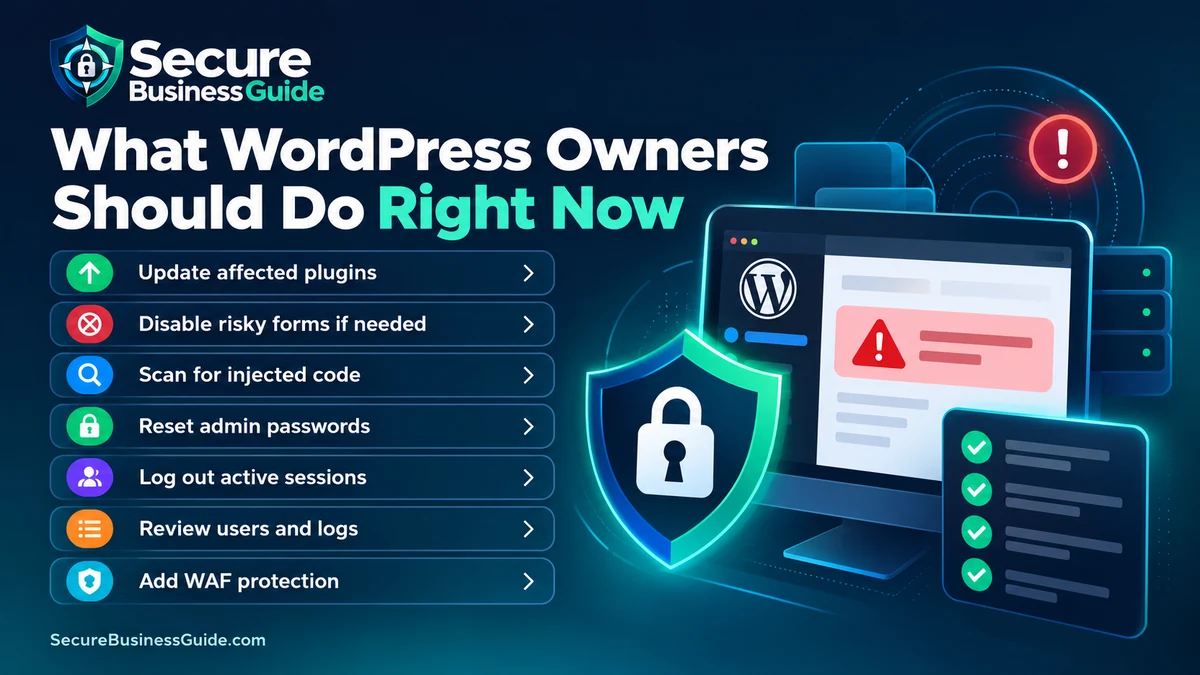
If either plugin is present, record the installed version, create a backup, update to a current patched release and then examine the site for indicators of compromise.
If suspicious behavior is found, treat the incident as a compromise rather than assuming the update alone removed the attacker.
Secure Websites Also Need Search Visibility
After security issues are under control, website owners still need to understand whether customers can find the business online.
Explore CBOOMARANK for SEO analysis, keyword research, competitor intelligence and backlink insights.
You can also view CBOOMARANK plans and pricing.
Frequently Asked Questions
Was WooCommerce itself hacked in this campaign?
The reported vulnerability discussed here affected WPC Product Bundles for WooCommerce, a separate plugin that integrates with WooCommerce—not WooCommerce core itself.
Is Ninja Forms affected?
Patchstack documented active exploitation involving a Ninja Forms stored XSS vulnerability. Site owners should use a current patched release.
Is updating the plugins enough?
Updating closes known vulnerable code, but a site exposed before patching may require investigation for persistence or other indicators of compromise.
Should I delete the affected plugins?
Not necessarily. If the plugins are needed and maintained, upgrading to a current secure version may be appropriate. Remove software that is abandoned or unnecessary.
Final Takeaway
This campaign is an important reminder that plugin vulnerabilities can move from disclosure to real-world exploitation quickly. Maintain backups, update supported software promptly and investigate when active exploitation has been reported against components installed on your website.
Related Security Guides