Secure Business Guide may earn a commission if you buy through links on this page, at no extra cost to you.
Our recommendations are based on practical use cases, security needs, features, pricing, and suitability for small businesses.
WordPress 7.1.3 is a security release that website owners should take seriously. Released on October 6, 2026, the update includes seven security fixes together with additional maintenance fixes. WordPress recommends updating affected websites promptly.
For a small business, publisher, agency, ecommerce operation or professional website, the safest approach is not simply to click Update and hope for the best. A controlled update means backing up the site, checking compatibility, applying the update, clearing caches and verifying that critical pages and functions still work.
This guide explains what WordPress 7.1.3 fixes, why the release matters and how to update a production website safely.
WordPress 7.1.3 Security Update: Quick Summary
- Release date: October 6, 2026
- Release type: Maintenance and security release
- Security fixes: Seven
- Recommended action: Update affected WordPress websites promptly
- Primary source: Official WordPress documentation
WordPress says only the most recent version is actively supported, although some security fixes are made available to older affected branches as a courtesy.
Read the official WordPress 7.1.3 release documentation.
What Security Issues Does WordPress 7.1.3 Address?
The release covers several different vulnerability classes. They affect areas such as comments, HTTP handling, exports, permissions, private content, embeds and WordPress hooks.
1. Stored Cross-Site Scripting in Comments Administration
One security fix addresses stored cross-site scripting involving pending comments shown in the WordPress administration area.
Stored XSS matters because malicious input can potentially be saved and executed later when an authorized user views the affected interface. A successful exploit may interfere with a privileged browser session or cause actions the administrator did not intend.
Updating WordPress core is the appropriate remediation. Security plugins can add useful defensive layers, but they should not be treated as substitutes for supported core software.
2. Denial-of-Service Weakness in HTTP URL Handling
WordPress 7.1.3 also fixes a denial-of-service issue involving WP_Http::make_absolute_url().
WordPress uses its HTTP components for many internal and external communications. Reliability and input-handling improvements in these components help reduce the risk of requests being used to consume unnecessary resources.
3. Second-Order SQL Injection in WXR Export
The security release corrects a second-order SQL injection issue involving WordPress WXR exports.
Second-order injection issues are important because potentially dangerous input may be introduced at one stage and only become harmful during a later operation.
Even if your website rarely uses WordPress export functionality, keeping core patched remains the correct defense.
4. Author-Level Sticky Post Permission Weakness
The update fixes a capability-related weakness that could allow Author-role users to manipulate sticky-post behavior under circumstances where they should not have sufficient permission.
Businesses with multiple contributors should combine this update with regular account reviews and the principle of least privilege.
5. Disclosure of Comments Connected to Private or Unpublished Posts
Another fix addresses unauthenticated disclosure of comments associated with private or unpublished content.
This is particularly relevant to sites using private material, embargoed content, editorial drafts or membership workflows.
6. XSS Risk Associated With Imgur Embeds
WordPress also addressed a cross-site scripting concern associated with Imgur embeds.
External embeds increase the number of services a website depends on. Site owners should periodically review third-party integrations and remove anything no longer required.
7. Dynamic Hook Parameter Collision
The seventh security item concerns forgeable parameters passed to dynamic WordPress hooks that could result in an action-name collision.
This is primarily an application-level technical issue. For most site owners, there is no reason to attempt a manual workaround: apply the supported WordPress update.
Should You Update WordPress 7.1.3 Immediately?
For most production WordPress sites, yes. The release is explicitly classified as a security update.
However, “update promptly” should still mean update safely. On a business-critical site, create a restorable backup before changing WordPress core.
Step 1: Back Up the Website Before Updating
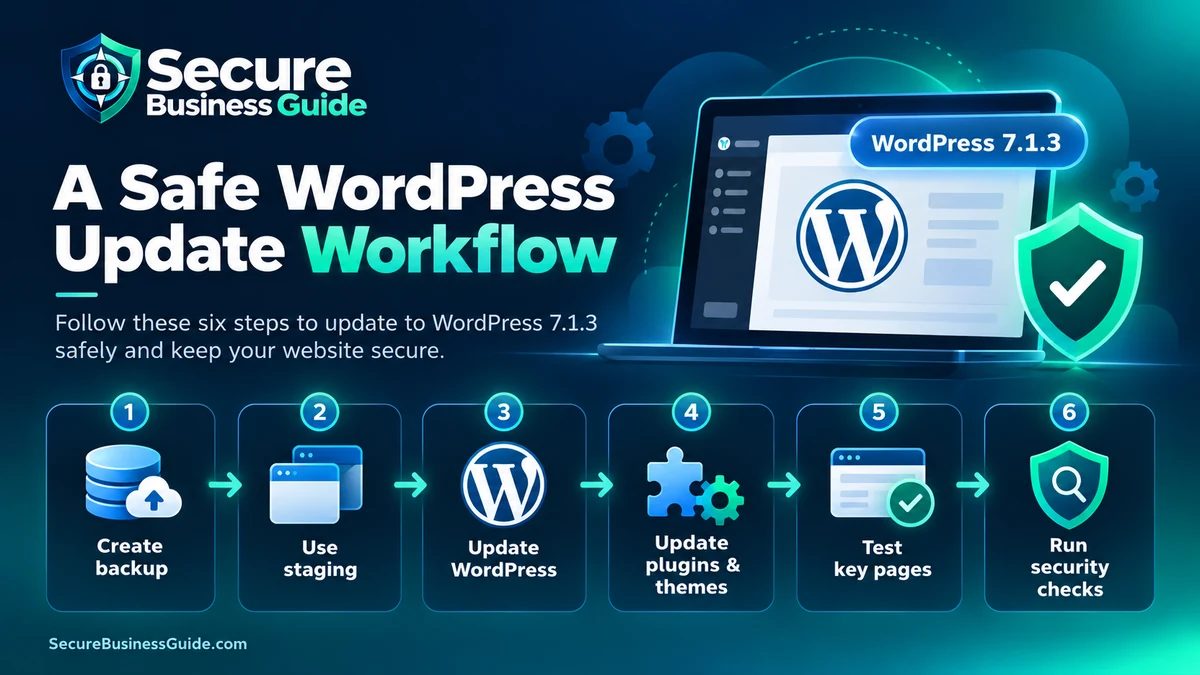
Your backup should include the database, media uploads, active theme, plugins and important configuration files.
If backup reliability is currently weak, see our guide to the best cloud backup tools for business files.
Step 2: Check Your Current WordPress Version
Inside WordPress, visit Dashboard → Updates.
Sites with WP-CLI can also run:
wp core versionIf WordPress reports an older affected release, prepare the backup and upgrade.
Step 3: Review Plugins and Themes
Core security is only one part of WordPress security. Vulnerable or abandoned extensions can create significant exposure even when WordPress itself is current.
Review our best WordPress security plugins guide for defensive options, but remember that a security plugin does not make outdated software safe.
Step 4: Install the Update
From WordPress administration, use Dashboard → Updates → Update Now.
WP-CLI users can normally run:
wp core updateStep 5: Clear Website Caches
Clear any relevant WordPress cache, server cache, LiteSpeed cache, reverse proxy and CDN cache after the update.
Step 6: Test Business-Critical Functions
Check the homepage, important landing pages, contact forms, login, search, navigation, checkout if applicable, media and mobile layout.
For a broader review, use our website security checklist for small business owners.
What If the Website Behaves Strangely After Updating?
Do not immediately downgrade without understanding the issue. First clear caches, check the browser console and server logs, temporarily isolate the conflicting extension where safe, and confirm whether the problem is plugin- or theme-related.
If you suspect compromise rather than a compatibility problem, consult our WordPress malware removal services guide.
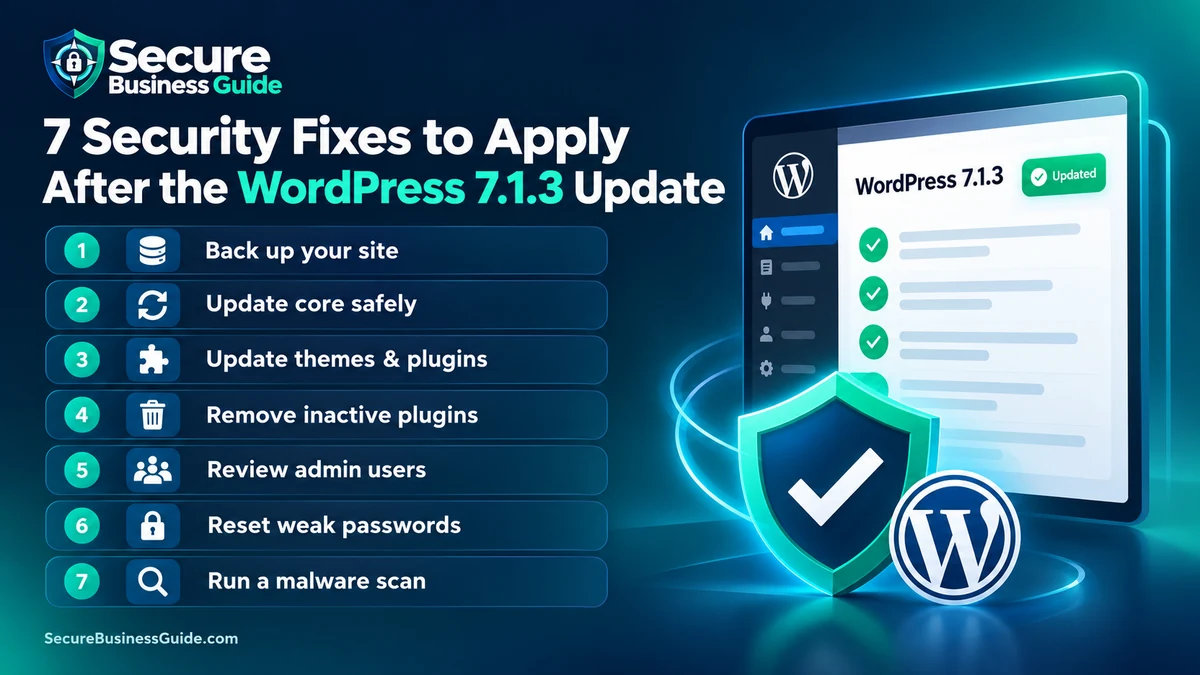
Post-Update WordPress Security Checklist
- Confirm the expected WordPress version is installed.
- Update compatible plugins and themes.
- Remove unused plugins and themes.
- Review administrator accounts.
- Require strong unique passwords.
- Enable multi-factor authentication where practical.
- Verify backups and recovery procedures.
- Run malware and integrity checks.
- Review recent server and security logs.
- Confirm HTTPS and redirects work correctly.
Security Is Only One Part of Website Growth
A secure site also needs visibility, authority and useful content if customers are going to find it.
Explore CBOOMARANK for website SEO analysis, keyword research, competitor intelligence, authority and backlink insights.
Businesses ready to use the platform can also view CBOOMARANK plans and pricing.
Frequently Asked Questions
Is WordPress 7.1.3 a security update?
Yes. WordPress identifies 7.1.3 as a maintenance and security release containing seven security fixes.
Can I wait before installing WordPress 7.1.3?
Security releases should not be postponed unnecessarily. Create a backup, check compatibility and apply the supported update promptly.
Does updating WordPress protect vulnerable plugins?
No. WordPress core, plugins and themes are separate components. All actively used software must be maintained independently.
Should I back up before a WordPress security update?
Yes. A current, restorable backup provides a recovery path if the update reveals an incompatibility or another operational problem.
Final Takeaway
WordPress 7.1.3 resolves multiple security issues across important parts of WordPress core. Small-business website owners should back up their sites, apply the release promptly, update compatible extensions and verify the website after deployment.
The goal is not simply to install one patch. It is to maintain an ongoing security process built around updates, backups, access control, monitoring and recovery.
Related Security Guides