Secure Business Guide may earn a commission if you buy through links on this page, at no extra cost to you.
Our recommendations are based on practical use cases, security needs, features, pricing, and suitability for small businesses.
The best antivirus software for small businesses helps protect laptops, desktops, and business devices from malware, ransomware, phishing, and other common security threats.
Small businesses often rely on shared devices, remote workers, and multiple SaaS accounts. Antivirus and endpoint protection can reduce risk when combined with backups, password managers, and security awareness.
Best Antivirus Software for Small Businesses: Quick Recommendations
Bitdefender
Best strong antivirus option for business devices
Malwarebytes
Best malware protection and cleanup option
ESET
Best lightweight endpoint security option
Key Features to Compare
- Malware protection
- Ransomware protection
- Device scanning
- Web protection
- Central management
- Business support
How to Choose the Right Option
Start by identifying the main risk you want to reduce. Some businesses need stronger account protection, while others need safer browsing, malware cleanup, better backups, or website protection. Choose a tool that fits your team size, technical comfort, budget, and support needs.
Do not choose a product only because it is popular. Compare the features that matter for your exact workflow, then test the tool before moving all business activity into it.
Security Buying Checklist
- Does the product solve a real security problem for your business?
- Is it easy enough for your team to use consistently?
- Does it support small business workflows and multiple users?
- Does pricing remain reasonable as your team grows?
- Does it include support, documentation, and clear setup guidance?
- Can it work alongside your existing website, hosting, devices, and SaaS tools?
Related Secure Business Guide Resources
Explore our Recommended Security Tools, read How We Review Security Tools, and browse more cybersecurity guides.
Final Recommendation
Choose security tools based on business risk, ease of use, reliability, and long-term value. A practical tool your team uses consistently is better than a complicated platform that no one follows properly.
What Small Businesses Need From Antivirus Software
Modern business antivirus software goes well beyond basic virus scanning. Small businesses now need protection against ransomware, phishing, malicious websites, unsafe downloads, credential theft, suspicious applications, fileless attacks, and other endpoint threats.
For a business, the most useful products combine reliable malware prevention with centralized management, clear alerts, manageable licensing, and enough visibility to understand what is happening across employee devices.
The right solution depends on your number of devices, operating systems, remote-work requirements, internal IT skills, and the consequences of a security incident. A company with five laptops has different needs from an organization managing dozens of employee endpoints.
Antivirus vs Endpoint Security: What Is the Difference?
Traditional antivirus mainly focused on detecting malicious files. Modern endpoint protection combines multiple security layers and may include behavioral analysis, ransomware protection, exploit prevention, web protection, firewall controls, device control, vulnerability visibility, endpoint detection and response, and centralized administration.
For small businesses, this distinction matters because many attacks do not rely on a simple infected file. Criminals may use stolen credentials, scripts, legitimate administrative tools, malicious websites, vulnerable applications, or social engineering.
When comparing business antivirus products, evaluate the full endpoint security platform rather than only the malware-scanning engine.
Features to Compare Before Buying
Real-Time Malware Protection
Real-time protection should monitor files, applications and system activity as they are accessed or executed. Look for protection against known malware as well as suspicious behavior that may indicate a new or modified threat.
Ransomware Protection
Ransomware can disrupt business operations by encrypting files or making systems unavailable. Modern endpoint products may use behavioral monitoring, controlled access, exploit prevention, rollback technology, or other mechanisms to help stop ransomware activity.
Antivirus protection should still be combined with reliable backups. Read our cloud backup guide for business files for a separate recovery layer.
Phishing and Web Protection
Many threats begin with links, fake login pages, malicious downloads, or compromised websites. Web protection can help block known dangerous destinations and reduce exposure to common phishing and malware-delivery techniques.
Centralized Management
Business products should make it possible to see protected devices from one console. Centralized administration can help you check security status, apply policies, review alerts, identify outdated devices, and respond when a problem occurs.
This becomes increasingly important as a business grows beyond a few computers or supports remote staff.
Automatic Updates
Security software depends on current detection technology and threat intelligence. Updates should be automatic and should not require each employee to manage the product individually.
Endpoint Detection and Response
Endpoint detection and response, commonly called EDR, provides deeper visibility into suspicious activity and can help administrators investigate and contain more sophisticated attacks.
Not every small company needs advanced EDR, but businesses with sensitive data, valuable accounts, regulatory obligations, or larger remote teams should consider it.
Device and Operating-System Coverage
Check whether the product supports every operating system used by your staff. A business may need protection for Windows, macOS, Android, iOS, servers, or a combination of platforms.
Do not assume that all security features are identical across every supported operating system.
Best Antivirus and Endpoint Security Options for Small Businesses
Microsoft Defender for Business
Microsoft Defender for Business is designed specifically for small and medium-sized organizations and is particularly relevant to companies already using Microsoft 365.
It combines next-generation endpoint protection with centralized management, vulnerability management, endpoint detection and response, automated investigation, and remediation capabilities.
For organizations already using Microsoft 365 Business Premium, Defender for Business may already be included, which can simplify licensing and administration.
It is worth comparing for businesses that want endpoint security integrated into the Microsoft ecosystem rather than operating a separate security platform.
Review Microsoft Defender for Business documentation.
Bitdefender GravityZone Business Security
Bitdefender GravityZone Business Security is aimed at small and medium-sized organizations that want centrally managed endpoint protection without requiring a large security team.
The GravityZone platform includes malware prevention, behavioral protection, network attack defenses, risk visibility, centralized management and other endpoint security capabilities, depending on the edition selected.
Bitdefender can be a strong option for organizations that want a dedicated business security console and a product family that can scale as their security requirements grow.
Review Bitdefender GravityZone Business Security.
ESET PROTECT
ESET offers business endpoint protection through its ESET PROTECT platform. It provides centralized administration and multilayered protection for business endpoints, with product tiers that can add capabilities such as encryption, server security, cloud application security, or advanced threat defense.
ESET may be attractive to companies that want centralized management while keeping endpoint protection relatively straightforward to deploy and maintain.
It is also worth comparing for mixed-device environments because ESET provides business protection across several operating systems and device types.
Review ESET business security options.
Sophos Endpoint
Sophos Endpoint focuses on layered endpoint protection, ransomware defense, exploit prevention, behavioral detection and centralized security management.
Sophos also provides EDR, XDR and managed detection and response options for organizations that want deeper investigation or external security expertise.
This makes Sophos worth comparing for small businesses that expect their security needs to grow or that may eventually need professional monitoring in addition to endpoint prevention.
Malwarebytes for Teams and ThreatDown
Malwarebytes provides different options for smaller teams and larger business environments. Malwarebytes for Teams is positioned for small organizations and offices that want straightforward device protection, while ThreatDown targets business endpoint-security environments that need centralized protection and additional response capabilities.
These products are worth comparing for organizations that want a simpler management experience and strong emphasis on malware, ransomware and endpoint protection.
Review Malwarebytes for Teams.
Quick Comparison
| Product | Best fit | Key reason to compare |
|---|---|---|
| Microsoft Defender for Business | Microsoft 365 environments | Integrated endpoint protection and centralized security management |
| Bitdefender GravityZone Business Security | Growing SMBs | Dedicated business security platform with layered endpoint protection |
| ESET PROTECT | Mixed-device business environments | Centralized administration and scalable protection tiers |
| Sophos Endpoint | Businesses needing stronger endpoint controls | Ransomware, exploit, EDR and managed-security options |
| Malwarebytes | Small teams seeking simpler deployment | Straightforward malware and endpoint protection options |
Which Antivirus Is Best for a Very Small Business?
For a business with only a handful of computers, complexity can become its own security problem. A product that is easy to deploy, automatically updates, reports clearly, and does not require constant tuning may be more useful than a technically advanced platform that nobody manages properly.
If your company already pays for Microsoft 365 Business Premium, first determine whether Defender for Business already provides the endpoint protection you need before purchasing another overlapping product.
Companies without an established Microsoft environment may prefer a dedicated security platform such as Bitdefender, ESET, Sophos, or Malwarebytes.
What About Free Antivirus?
Free consumer antivirus can provide useful malware protection, but a business generally benefits from centralized administration, business licensing, device visibility, reporting, support, policy management, and clearer commercial-use terms.
Using individually managed consumer software across employee devices can make it difficult to confirm whether every system is protected or properly configured.
For an organization, management and visibility are often just as important as the detection engine itself.
Antivirus Does Not Replace Backups
No endpoint security product can guarantee that ransomware, accidental deletion, hardware failure or user error will never cause data loss.
Maintain independent backups for important business information and periodically test whether files can actually be restored.
See our best cloud backup tools for business files guide for additional recovery planning.
Antivirus Does Not Protect Every Business Account
Endpoint software protects devices, but attackers frequently target email accounts, cloud services, social media accounts, hosting panels, banking credentials and administrator logins.
Use strong unique passwords and multi-factor authentication wherever possible. Our guide to the best password managers for small businesses explains how businesses can improve credential management.
Secure Your Website Separately
Protecting staff laptops does not automatically secure your website. Website security also depends on hosting, application updates, administrator access, backups, plugins, server configuration and monitoring.
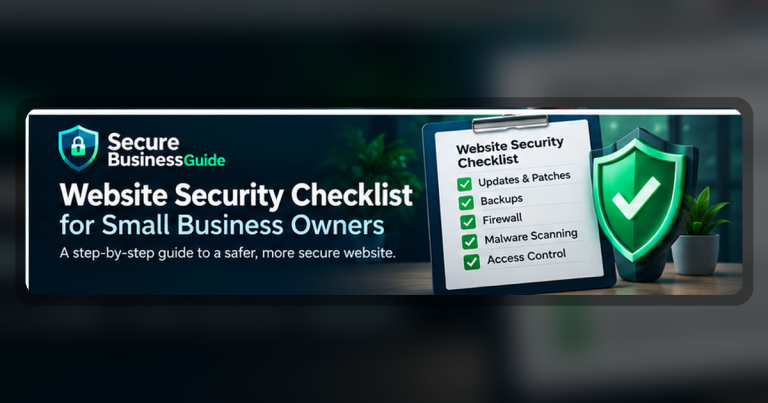
Use our website security checklist for small business owners to review the website layer separately.
WordPress businesses should also review our best WordPress security plugins guide.
How Many Devices Should You Protect?
Count every device that regularly accesses company data, email, business applications or cloud accounts. That may include desktops, laptops and company-owned mobile devices.
Remote workers and employees who travel can create additional exposure because their devices may connect through home networks, hotels, public Wi-Fi, or other less-controlled environments.
Licensing should leave room for normal staff growth rather than forcing the company to change security products every time a new employee joins.
Questions to Ask Before Buying
- Which operating systems are supported?
- Is centralized management included?
- Does the product include ransomware protection?
- Does it provide web and phishing protection?
- Can administrators see unprotected or unhealthy devices?
- Are security policies centrally managed?
- Does the plan include EDR?
- Is vulnerability management included?
- What happens when malware is detected?
- Can an administrator isolate an infected endpoint?
- Does the vendor provide business support?
- Is managed detection and response available if needed later?
- Are mobile devices or servers covered?
- How does licensing change as the business grows?
Common Antivirus Buying Mistakes
Choosing Only by Price
The least expensive product may not include centralized administration, advanced ransomware controls, response features, or the support your organization needs.
Installing Multiple Antivirus Products
Running several endpoint security products at the same time can create conflicts, performance problems and confusing alerts. Use one properly managed primary endpoint security platform unless the vendors explicitly support a complementary configuration.
Ignoring Unmanaged Devices
A business may have excellent protection on office PCs while employee laptops, remote systems or older machines remain outside central management. Security planning should cover the full device inventory.
Assuming Antivirus Solves Phishing
Endpoint protection can block many malicious links and files, but employees still need awareness of fake login pages, social engineering, payment fraud and suspicious requests.
Follow Recognized Security Guidance
The Cybersecurity and Infrastructure Security Agency recommends basic measures such as multi-factor authentication, strong passwords, software updates and phishing awareness as part of a broader small-business security program.
Review CISA Secure Our World guidance.
The NIST Cybersecurity Framework can also help organizations structure how they identify, protect, detect, respond to and recover from cybersecurity risk.
Review the NIST Cybersecurity Framework.
Frequently Asked Questions
Is Windows Defender enough for a small business?
Microsoft’s built-in Windows protection provides important security capabilities, but businesses should distinguish standard Windows security from Microsoft Defender for Business, which adds centralized business-focused endpoint security capabilities. The correct choice depends on your environment and management requirements.
Do Macs need business antivirus?
macOS includes built-in security technologies, but Macs can still face malicious software, credential theft, phishing, unsafe applications and other threats. Businesses should evaluate endpoint protection based on risk and management requirements rather than assuming one operating system cannot be attacked.
Does antivirus stop ransomware?
Modern endpoint products can detect and block many ransomware techniques, but no product can guarantee complete protection. Backups, software updates, strong authentication and user awareness remain essential.
How often should antivirus be updated?
Business endpoint protection should update automatically. Administrators should still monitor whether devices are checking in correctly and whether endpoints are running current software and security policies.
Do small businesses need EDR?
Not every small business requires advanced EDR, but it becomes more valuable when the organization has sensitive information, numerous endpoints, remote workers, regulatory requirements or limited tolerance for downtime.
Our Recommendation
For businesses already invested in Microsoft 365, Microsoft Defender for Business is one of the first options worth evaluating because of its integration with the Microsoft security ecosystem.
Bitdefender GravityZone is worth comparing for businesses that want a dedicated and scalable endpoint security platform. ESET is a strong candidate for organizations prioritizing centralized management and broad endpoint coverage. Sophos is worth evaluating where ransomware protection, exploit prevention, EDR or managed response are important, while Malwarebytes offers approachable options for smaller teams and resource-constrained IT environments.
The best antivirus software for a small business is ultimately the product that protects every relevant device, is actively managed, provides understandable alerts, fits the company’s technical ability, and can scale as the organization grows.
Whichever platform you choose, combine it with strong passwords, multi-factor authentication, reliable backups, current software and the practices in our small business website security checklist.
Related Security Guides