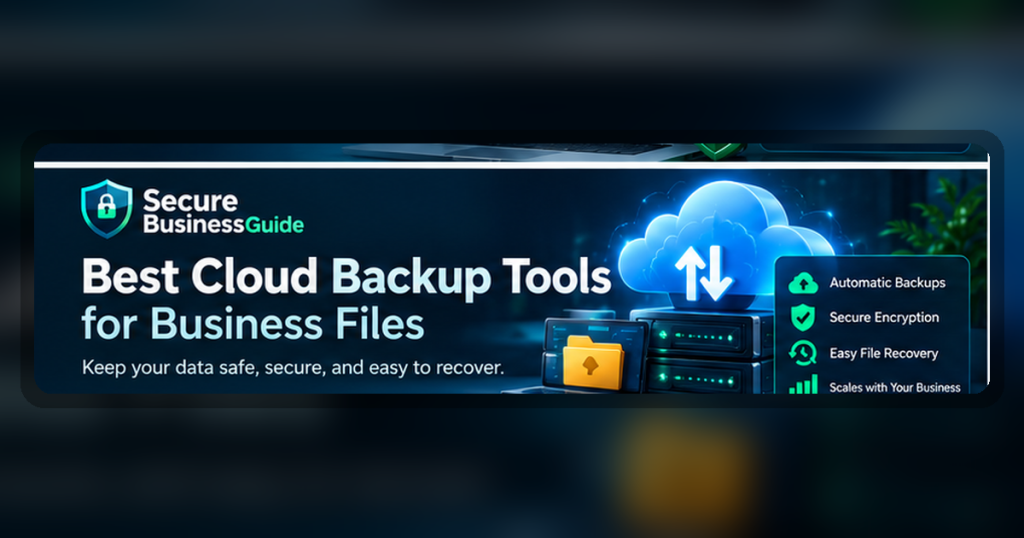
The best cloud backup tools for business files help protect important documents, website assets, client files, and operational data from accidental loss, ransomware, device failure, and human error.
Backups are one of the most practical security investments a small business can make. A reliable backup system can help restore files after mistakes, malware incidents, hardware damage, or account problems.
Best Cloud Backup Tools for Business Files: Quick Recommendations
Backblaze
Best simple cloud backup for business files
Acronis
Best backup plus cyber protection option
IDrive
Best flexible backup option for multiple devices
Key Features to Compare
- Automatic backup schedule
- File version history
- Ransomware recovery support
- Easy restore process
- Multi-device backup
- Business storage controls
How to Choose the Right Option
Start by identifying the main risk you want to reduce. Some businesses need stronger account protection, while others need safer browsing, malware cleanup, better backups, or website protection. Choose a tool that fits your team size, technical comfort, budget, and support needs.
Do not choose a product only because it is popular. Compare the features that matter for your exact workflow, then test the tool before moving all business activity into it.
Security Buying Checklist
- Does the product solve a real security problem for your business?
- Is it easy enough for your team to use consistently?
- Does it support small business workflows and multiple users?
- Does pricing remain reasonable as your team grows?
- Does it include support, documentation, and clear setup guidance?
- Can it work alongside your existing website, hosting, devices, and SaaS tools?
Related Secure Business Guide Resources
Explore our Recommended Security Tools, read How We Review Security Tools, and browse more cybersecurity guides.
Final Recommendation
Choose security tools based on business risk, ease of use, reliability, and long-term value. A practical tool your team uses consistently is better than a complicated platform that no one follows properly.
What Is Business Cloud Backup?
Business cloud backup is the process of automatically copying important company data to secure off-site storage so files can be recovered after accidental deletion, hardware failure, ransomware, device loss, corruption, or another disruption.
Unlike ordinary cloud file synchronization, a proper backup system is designed around recovery. It should preserve usable copies of data and make it possible to restore files, folders, devices, or workloads when the original information is damaged or unavailable.
For small businesses, this distinction matters because synchronized files can sometimes replicate unwanted changes. If an employee deletes or overwrites a synchronized file, that change may be reflected across connected devices. A backup platform should provide version history and recovery points that help restore earlier copies.
Why Small Businesses Need Cloud Backup
Business information is often spread across laptops, desktops, servers, websites, cloud applications, shared folders, and employee devices. Losing access to that information can interrupt sales, customer service, accounting, marketing, operations, and website management.
A strong backup strategy helps reduce the impact of:
- Accidental file deletion.
- Ransomware and malware.
- Failed hard drives and storage devices.
- Lost or stolen laptops.
- Employee mistakes.
- Corrupted files.
- Software problems.
- Natural disasters and physical damage.
- Account compromise.
- Website or server failures.
The U.S. Cybersecurity and Infrastructure Security Agency recommends maintaining backups as part of ransomware resilience and keeping important backup copies protected from systems that attackers could compromise.
Review CISA ransomware guidance.
Cloud Backup vs Cloud Storage vs File Sync
Cloud backup, cloud storage, and file synchronization are related technologies, but they are not identical.
| Technology | Primary purpose | Typical business use |
|---|---|---|
| Cloud backup | Recovery and protection | Restore files or systems after deletion, corruption, ransomware, or failure |
| Cloud storage | Store files online | Centralize documents and make them available from multiple locations |
| File synchronization | Keep files consistent across devices | Collaboration and convenient access to current versions |
A business may use all three. The key is not to assume that synchronization alone provides the same protection as a dedicated backup and recovery system.
What to Look for in a Business Cloud Backup Service
Automatic Scheduled Backups
Employees should not need to remember to copy important files manually. Automatic and continuous backup options can reduce gaps between recovery points.
File Version History
Version history is valuable when a file is overwritten, corrupted, or encrypted by ransomware. The ability to restore an earlier clean version can significantly reduce disruption.
Encryption
Business backup data should be protected during transmission and while stored. Organizations handling sensitive data should also review encryption-key management options and provider security documentation.
Multi-Factor Authentication
Backup accounts contain valuable business information. Multi-factor authentication can reduce the risk that a stolen password alone gives an attacker access to stored backups.
Centralized Administration
Business plans should provide an administrator console for adding employees, removing users, applying policies, monitoring backup status, and identifying devices that are not being protected successfully.
Fast Restore Options
Backup is only useful when recovery works. Compare file-level restoration, full-device recovery, download speeds, restore applications, and any physical recovery options offered for large datasets.
Retention and Versioning Policies
Consider how long deleted files and historical versions remain available. Longer retention may be important for organizations that do not discover missing or corrupted files immediately.
Endpoint and Server Coverage
Check whether the service protects Windows computers, Macs, servers, network storage, virtual machines, cloud workloads, or other infrastructure your company actually uses.
Best Cloud Backup Tools for Business Files
No single service is ideal for every organization. The right choice depends on the number of employees, devices, data volume, recovery requirements, operating systems, security policies, and whether the company also needs server or workload protection.
Backblaze Business Backup
Backblaze is widely used for straightforward computer backup. Its business offerings can be attractive to companies that want automated endpoint backup without requiring employees to manage complicated backup jobs.
Organizations should evaluate administrative controls, retention requirements, recovery options, and whether their workloads are primarily employee computers or more complex server environments.
Review Backblaze Business Backup.
IDrive Business
IDrive provides backup options for computers and other business systems, with centralized management features designed for organizations protecting multiple devices.
It can be worth comparing when a business needs broader device coverage, scheduled backup controls, file versioning, and administrative visibility across employee systems.
Acronis Cyber Protect
Acronis combines backup capabilities with broader cybersecurity and endpoint-management features. This approach may appeal to organizations that want data protection integrated with additional security controls.
Businesses should compare the exact protection features included in the edition they are considering, deployment complexity, storage requirements, recovery capabilities, and administrative needs.
CrashPlan
CrashPlan offers endpoint backup options aimed at organizations that need continuous protection, centralized management, and file recovery for employee computers.
It may be suitable for teams that prioritize straightforward endpoint backup and long-running protection of work files across distributed devices.
How to Compare Cloud Backup Services for a Small Business
Choosing a backup platform should begin with recovery requirements rather than storage capacity alone. A low-cost service is not valuable if it cannot restore the files, devices, or workloads your business depends on.
Before subscribing, identify what needs protection, how quickly it must be restored, how long historical versions must remain available, and who will be responsible for monitoring backup health.
| Evaluation area | What to check | Why it matters |
|---|---|---|
| Automatic backup | Continuous or scheduled protection | Reduces dependence on employees remembering to back up files |
| Version history | Number and age of recoverable versions | Helps restore files after corruption, accidental changes, or ransomware |
| Retention | Deleted-file and historical-data retention periods | Determines how far back your organization can recover information |
| Encryption | Encryption in transit and at rest | Protects business data while transferring and storing backups |
| Authentication | MFA, SSO, role-based administration | Reduces unauthorized access to valuable backup data |
| Administration | User, device, policy, alert, and reporting controls | Helps administrators confirm that employees and systems remain protected |
| Restore speed | Individual file, folder, device, and bulk restore options | Directly affects business downtime after an incident |
| Platform support | Windows, macOS, Linux, server, NAS, SaaS, and cloud workload support | Ensures the product protects the systems your company actually uses |
| Ransomware resilience | Versioning, protected copies, isolation, immutability, or equivalent safeguards | Helps prevent attackers from destroying every usable recovery point |
| Support | Business support channels and recovery assistance | Important when a serious incident occurs and recovery is urgent |
Use the 3-2-1 Backup Principle
A widely used backup strategy is commonly described as the 3-2-1 approach:
- Keep at least three copies of important data.
- Store those copies on at least two different types of storage or systems.
- Keep at least one copy separate from the primary environment.
The purpose is resilience. If one computer, server, storage platform, office, or account becomes unavailable, the organization still has another recovery path.
Modern businesses may adapt this principle by combining endpoint backup, cloud backup, protected storage, server snapshots, offline copies, or immutable recovery points depending on their risk and infrastructure.
Protect Backups From Ransomware
Ransomware can encrypt production data and may also attempt to destroy backups. A business should therefore treat backup infrastructure as a security-sensitive system rather than simply another storage account.
Separate Backup Credentials
Do not automatically reuse the same administrator credentials across production systems and backup platforms. If one privileged account is compromised, attackers should not automatically gain control over every recovery copy.
Use Multi-Factor Authentication
Enable MFA for backup administrators and other privileged accounts whenever the provider supports it.
Maintain Protected Recovery Copies
Where possible, keep at least one recovery copy that cannot easily be modified or deleted by compromised production systems.
Test Restores Regularly
A successful backup status is not the same as a successful recovery. Periodically restore representative files and systems to confirm that backup data is usable.
Monitor Backup Failures
Administrators should investigate devices that stop backing up, failed jobs, storage problems, authentication errors, and unusual changes to backup policies.
Define RPO and RTO Before Choosing a Backup Platform
Recovery Point Objective
The recovery point objective, or RPO, describes how much recent data the business can afford to lose. If losing one day of work would be unacceptable, a once-daily backup schedule may not be sufficient.
Recovery Time Objective
The recovery time objective, or RTO, describes how quickly a system or dataset should be restored after disruption.
A company that can operate for several days without archived files has different requirements from an online business that needs customer, order, website, and operational systems restored within hours.
Defining these objectives helps avoid purchasing either too little protection or an unnecessarily complex backup system.
Do Not Forget Website Backups
Employee documents are only one part of business data. Website owners should also protect the files, databases, configuration, media, and other assets that keep their sites operating.
For WordPress websites, a useful backup plan typically includes the database, uploaded media, themes, plugins, configuration files, and any custom code required to rebuild the site.
Hosting-provider backups can be valuable, but important websites should avoid relying on a single recovery mechanism. An independent backup copy can provide additional resilience if the hosting account itself becomes unavailable or compromised.
For additional protection guidance, read our Website Security Checklist for Small Business Owners and our guide to WordPress security plugins.
Cloud Backup and Secure Hosting Work Together
Backup and hosting solve different problems. Secure hosting aims to keep systems available and protected during normal operation, while backups provide a recovery path when files, databases, or infrastructure are damaged or lost.
A mature website security strategy combines reliable hosting, strong administrator access, software updates, malware protection, monitoring, and independent recovery copies.
See our comparison of secure web hosting for small businesses for additional infrastructure considerations.
Backup Is Only One Part of Business Cybersecurity
A recoverable business still needs to prevent and detect attacks. Cloud backup should complement other safeguards rather than replace them.
Related Secure Business Guide resources include:
- Best Malware Removal Services for WordPress
- Best Antivirus Software for Small Businesses
- Best Password Managers for Small Businesses
- Best VPNs for Small Business Privacy
- Website Security Checklist for Small Business Owners
Use Backup Resilience to Support Business Growth
Reliable backup protects the work your organization has already created. Search visibility helps more potential customers discover that work.
After strengthening your backup and security foundation, businesses can use CBOOMARANK to evaluate website performance, research keywords and competitors, analyze authority and backlinks, and identify opportunities to improve organic search visibility.
For website owners, marketers, publishers, agencies, and growing businesses, combining operational resilience with measurable SEO intelligence can help reduce risk while supporting sustainable customer acquisition.
Grow Your Website With Better SEO Intelligence
Use CBOOMARANK to uncover keyword opportunities, evaluate competitors, strengthen backlink strategy, and make more informed website-growth decisions.
Which Cloud Backup Option Is Best for Your Business?
The best cloud backup service depends on what your organization needs to recover and how quickly recovery must happen. A small company protecting employee laptops may need a different solution from a business operating servers, websites, network storage, or more complex infrastructure.
- For straightforward employee-computer backup: prioritize automation, simple administration, version history, and dependable restore options.
- For businesses with many devices: prioritize centralized administration, policy controls, reporting, and user lifecycle management.
- For organizations with broader security requirements: compare products that combine backup with endpoint protection, monitoring, or other cyber-resilience features.
- For website-focused businesses: maintain both infrastructure backups and independent copies of website files and databases.
- For ransomware resilience: prioritize protected recovery copies, separate credentials, MFA, retention, and regular restore testing.
Do not select a backup service only because it offers the most storage. Recovery quality, security, administration, retention, and support are often more important than raw capacity.
Business Cloud Backup Deployment Checklist
Before considering your backup program complete, confirm that your organization has addressed the following:
- Identify critical files, devices, websites, applications, and systems.
- Define acceptable recovery-point and recovery-time objectives.
- Choose automatic backup schedules appropriate for the importance of the data.
- Enable multi-factor authentication for administrative accounts.
- Separate backup administrator credentials from ordinary production credentials where practical.
- Configure appropriate retention and file-version policies.
- Protect at least one recovery path from normal production-system compromise.
- Enable alerts for failed or interrupted backup jobs.
- Document who is responsible for checking backup status.
- Test file restoration regularly.
- Test larger recovery procedures before an emergency occurs.
- Review backup coverage whenever employees, devices, servers, or applications change.
A backup plan should be treated as an operating process rather than a one-time software installation.
Frequently Asked Questions About Business Cloud Backup
Is cloud storage the same as cloud backup?
No. Cloud storage primarily gives users a place to store and access files online. Dedicated cloud backup is designed around recovery, version history, retention, and restoration after files or systems are lost or damaged.
Can cloud backup protect a business from ransomware?
Backup does not prevent ransomware infection, but well-protected recovery copies can help a business restore data after an incident. Backups should be combined with endpoint security, access controls, software updates, malware protection, employee awareness, and other safeguards.
How often should a small business back up its data?
The appropriate frequency depends on how much recent data the business can afford to lose. Critical information may require continuous or frequent backup, while less frequently changed archives may require a different schedule.
Should a business keep more than one backup?
Yes. Depending on business risk, maintaining multiple recovery copies across different systems or locations can reduce dependence on a single provider, device, or account.
Should WordPress websites have independent backups?
Yes. Website owners should consider independent copies of the database, uploads, themes, plugins, configuration, and custom code in addition to any backup capability supplied by the hosting provider.
How often should backups be tested?
Backups should be tested periodically and after major infrastructure changes. The goal is to verify that important information can actually be restored within an acceptable period, not simply that a backup job reports success.
Final Recommendation
For most small businesses, the strongest backup strategy is not simply choosing one highly rated product. It is building a repeatable recovery process around automatic backups, protected historical versions, strong administrator security, multiple recovery options, monitoring, and regular restore testing.
Compare providers based on the systems you actually operate, the amount of data you can afford to lose, how quickly operations must resume after an incident, and how confidently administrators can verify that backups are working.
Backup protects your company from losing valuable digital assets. The next step is making those assets easier for potential customers to discover.
Turn a More Resilient Website Into a More Visible Website
CBOOMARANK helps website owners and businesses analyze SEO performance, research keywords and competitors, evaluate authority and backlinks, and discover opportunities for stronger organic visibility.
If your business is investing in secure infrastructure, reliable backups, and better website operations, use SEO intelligence to help those investments generate measurable traffic and customer opportunities.
View CBOOMARANK Plans and Start Growing Your Search Visibility →